🧊
+1
0 WPM
Highlit
Back
Spanish
En
⏱️ :
60
 Loading...

Finger Practice Change Language Activate Keyboard
NOTE: If you have a correct keyboard layout installed on your computer, uncheck the above box.
Press ALT + 0256 for this charecter
Change Test :
Random Words
▼
LEADER-BOARD
GLOBAL RANKING (TOP 10)
GLOBAL RANKING (TOP 10)
Online Spanish Typing Test: Free Spanish Typing Speed Test (1 Minute to 1 Hour) with Certificate
Looking for the best online Spanish typing test? Our free Spanish typing speed test lets you measure your words per minute (WPM) and accuracy in Spanish, practice accented characters like á, é, í, ó, ú, ñ, ü, and even download a typing speed certificate for job interviews. Whether you are a student, a translator, a data entry professional, or a government exam aspirant, this tool is built to help you type faster and more accurately in Spanish.
What Is the Online Spanish Typing Test?
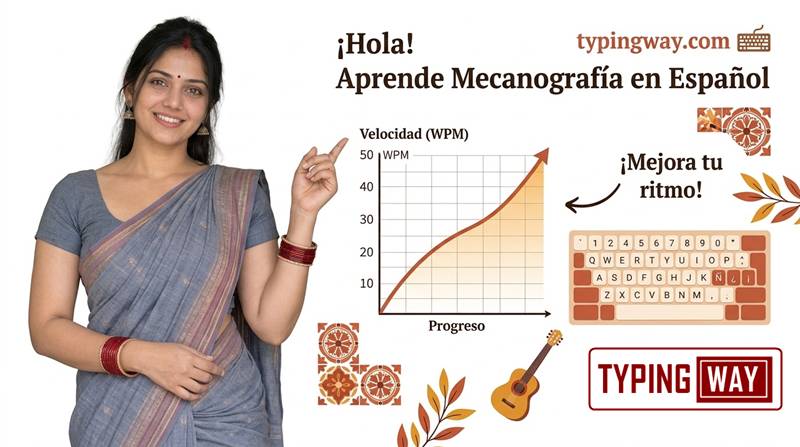
The Online Spanish Typing Test is a free, browser-based Spanish typing speed test that checks how many words you can type per minute in Spanish and how accurate you are. No download, no signup needed to start. Just choose your duration, pick your difficulty, and begin typing. Spanish has unique characters, accent marks, and punctuation such as ¿ and ¡, so a dedicated test gives a more honest measure of your real Spanish typing ability than a generic English test.
Key Features of Our Spanish Typing Test
1. Flexible Test Duration: 1 Minute to 1 Hour
Choose any timer from a quick 1 minute Spanish typing test to a full 1 hour typing test. Short tests are perfect for daily warm-ups, while longer tests build stamina and consistency, which is exactly what employers and exam boards look for.
2. Switch Between English and Spanish Instantly
Use the radio button to toggle between English and Spanish. This is ideal for bilingual typists, translators, and customer support professionals who work in both languages. If you want more English drills, try our English typing tutor.
3. Choose Your Difficulty and Word Type
- Easy words: short, common Spanish words for beginners.
- Moderate words: everyday vocabulary with accents.
- Hard words: long words and tricky letter combinations.
- Legal terms: useful for paralegals, court typists, and law students.
- Technology terms: IT vocabulary for developers, support agents, and tech writers.
4. Practice with Different Paragraphs
Do not memorize one text. Practice on a wide variety of Spanish paragraphs to build real-world typing skill, not just muscle memory for a single passage.
5. Gamified Typing Engine
Typing practice should not be boring. Our gamified engine keeps you motivated with live scoring, progress feedback, and challenges. You can also take a break with our free typing games, such as Bubble Blast, to build speed in a fun way.
6. Global Leaderboard: Compete with the Top 10
At the end of each test, save your score and see if you can reach the Top 10 leaderboard. Competing with other typists is one of the fastest ways to push your WPM higher.
7. Typing Portfolio and Profile for Your Resume
Create a free profile and build a complete typing portfolio that tracks your speed and accuracy over time. Add the link to your resume or LinkedIn profile to show recruiters your verified typing skills when applying for typing jobs, data entry roles, transcription work, or customer support positions.
8. Download Your Typing Speed Certificate
Pass the test and download your Spanish typing certificate showing your WPM and accuracy. It is a handy proof of skill to carry to a job interview.
9. Exam Mode for Government Typing Tests
Preparing for a government job? Our exam mode follows the official exam pattern so you can practice in real test conditions. Explore our typing exam simulator or try the High Court LDC typing test to see how exam-style practice works.
10. Finger Practice Guide for Touch Typing
Speed starts with correct finger placement. Our finger practice guide teaches you the home row, finger zones, and posture so you can type without looking at the keyboard. You can also watch our touch typing video tutorials for a visual walkthrough.
11. AI-Based Typing Tutor
The built-in AI typing tutor analyzes your results and tells you exactly where you are weak: problem keys, frequent mistakes, slow letter transitions, and accent errors. It then recommends what to practice next, so every minute of practice counts.
12. Minimalist Mode: Distraction-Free Typing
Want to focus without ads or clutter? Switch on minimalist mode for a clean, distraction-free test. Try the minimal typing test to experience it.
How to Take the Spanish Typing Test
- Select your test duration (1 minute up to 1 hour).
- Choose Spanish as the language using the radio button.
- Pick your difficulty: easy, moderate, hard, legal, or technology words.
- Start typing the paragraph shown on screen. The timer begins with your first keystroke.
- Review your WPM, accuracy, and errors at the end.
- Save your score to the leaderboard, update your portfolio, or download your certificate.
How Is Spanish Typing Speed Calculated?
Typing speed is measured in words per minute (WPM). A standard "word" equals five characters, including spaces. Your net WPM is your gross speed minus uncorrected errors, and accuracy is the percentage of characters typed correctly. Employers usually care more about accuracy plus speed than raw speed alone.
Tips to Improve Your Spanish Typing Speed
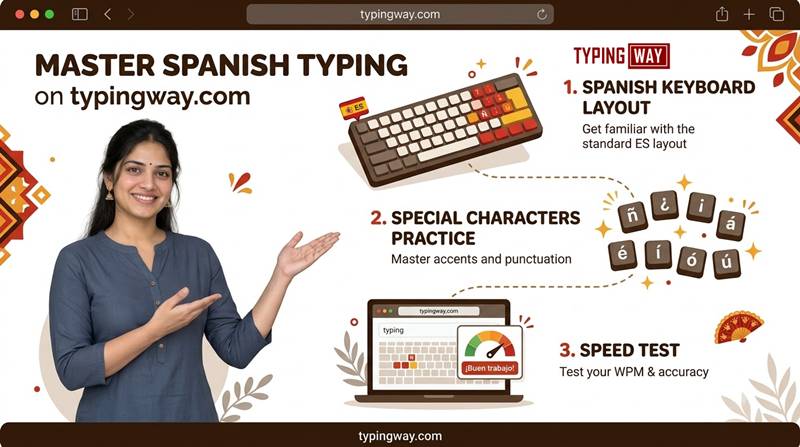
- Learn the accent shortcuts. Master how your keyboard layout produces á, é, í, ó, ú, ñ, ü, ¿ and ¡. Accents are the biggest speed killer for Spanish typists.
- Use the Spanish keyboard layout. Spain (ES) and Latin America (LATAM) layouts differ slightly, so practice on the one you will use at work.
- Prioritize accuracy first. Speed comes naturally once errors drop.
- Practice daily for 15 to 20 minutes. Short, consistent sessions beat one long weekly session.
- Do not look at the keys. Follow the finger placement from our touch typing finger guide.
- Mix difficulty levels. Alternate easy drills with hard and technical words to build range.
- Use the AI tutor feedback. Focus your practice on the keys and words it flags.
Who Should Use This Spanish Typing Test?
- Students and Spanish learners who want to type correctly in Spanish.
- Translators and content writers working with Spanish text.
- Data entry and transcription professionals who need proof of speed.
- Customer support agents serving Spanish-speaking customers.
- Government exam aspirants preparing with exam-pattern practice.
- Job seekers who want a verified typing certificate for their resume.
Try Typing Tests in Other Languages
Want to test your skills in more languages? Explore our other free tests:
- Portuguese typing test
- French typing test
- Amharic typing test
- Filipino typing test
- Indonesian typing test
- Select any language typing test
Frequently Asked Questions (FAQ)
Is this Spanish typing test free?
Yes. You can take the Spanish typing test as many times as you like, free of charge. Saving scores to the leaderboard and building a profile only requires creating an account.
How long is the Spanish typing test?
You choose. Durations range from a 1 minute typing test up to a 1 hour typing test.
Can I switch between English and Spanish?
Yes. Use the radio button above the typing area to switch instantly between English and Spanish.
Does the test include Spanish accents and special characters?
Yes. The paragraphs include accented vowels, ñ, ü, and punctuation like ¿ and ¡, so you practice real Spanish typing.
What is a good typing speed in Spanish?
Most people type around 35 to 45 WPM. A speed of 40 to 60 WPM with high accuracy is considered good for office work, and many data entry and transcription jobs expect 50 WPM or more. Requirements vary by employer, so check the job listing.
Can I download a Spanish typing certificate?
Yes. After completing a test, you can download a typing speed certificate that shows your WPM and accuracy. You can show it in job interviews or attach it to applications.
How does the leaderboard work?
After your test, save your score to enter the leaderboard. The top 10 users are displayed publicly, so you can compete and track how you rank.
Can I use this tool to prepare for a government typing exam?
Yes. Exam mode follows the official exam pattern so you can practice under realistic conditions. You can also try our typing exam simulator.
How can I learn touch typing?
Start with our finger practice guide to learn correct finger placement, then use the AI typing tutor to find and fix weak spots.
What is the AI typing tutor?
It is a built-in assistant that studies your test results, identifies the keys and words you struggle with, and suggests targeted practice so you improve faster.
Is there an ad-free option?
Yes. Turn on minimalist mode for a clean typing screen without distractions.
Can I add my typing score to my resume?
Yes. Create a profile to build a typing portfolio, then add your portfolio link and certificate to your resume to show employers your verified skills.
Which keyboard layout should I use for Spanish?
Use the layout you will type on most. Spain (ES) and Latin American (LATAM) layouts place some symbols and accents differently, so practicing on your real layout gives the most accurate results.
Start Your Spanish Typing Test Now
Ready to find out your real speed? Scroll up, choose your duration, and take the online Spanish typing test now. Track your progress, climb the leaderboard, and earn a certificate you can be proud of. Want a break between tests? Play a few rounds of Bubble Blast or visit our Spanish typing test page anytime to retake the test and beat your best score.