🧊
+1
0 WPM
Highlit
Back
Ind
En
⏱️ :
60
 Loading...

Finger Practice Change Language Activate Keyboard
NOTE: If you have a correct keyboard layout installed on your computer, uncheck the above box.
Press ALT + 0256 for this charecter
Change Test :
Random Words
▼
LEADER-BOARD
GLOBAL RANKING (TOP 10)
GLOBAL RANKING (TOP 10)
Online Indonesian Typing Test - Improve Your Typing Speed and Accuracy
Welcome to the Online Indonesian Typing Test on Typingway, a free online typing practice tool designed to help you improve your Indonesian typing speed, accuracy, keyboard skills, and overall typing performance. Whether you are a beginner learning to type, a student preparing for an examination, an office worker improving productivity, or a job seeker building a professional typing portfolio, this Indonesian typing speed test gives you a convenient way to practise directly in your browser.
Choose a typing duration from 1 minute to 60 minutes, select Indonesian or English, practise easy words or advanced technical vocabulary, and measure your performance with real-time typing feedback. You can also explore gamified typing exercises, exam mode, an AI-based typing tutor, a typing leaderboard, and downloadable typing speed certificates.
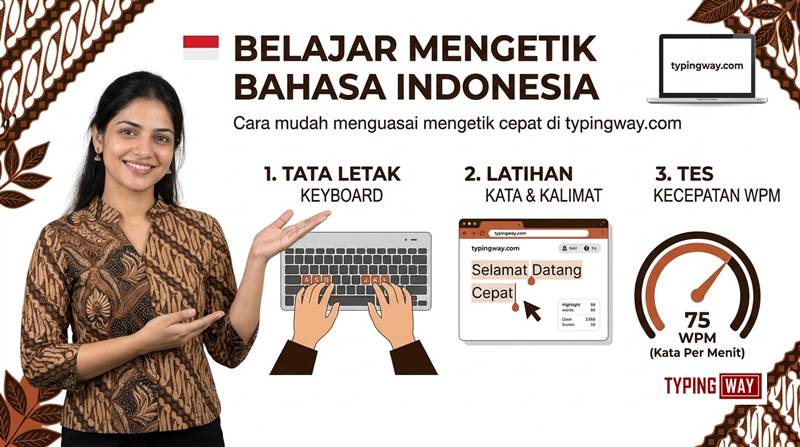
What Is an Indonesian Typing Test?
An Indonesian typing test is an online exercise that measures how quickly and accurately you can type Indonesian words, sentences, and paragraphs using a keyboard. A typing speed test typically reports your performance in words per minute (WPM), along with typing accuracy and, depending on the tool, error statistics and other performance indicators.
Typingway makes Indonesian typing practice accessible without requiring complicated software installations. Open the test, select your preferred settings, and start typing. You can practise short exercises when you have only a few minutes or complete longer sessions to develop endurance and consistency.
This online Indonesian typing test is useful for beginners, students, administrative professionals, data entry operators, transcription learners, and anyone who wants to become more comfortable typing in Bahasa Indonesia.
Why Should You Measure Your Indonesian Typing Speed?
- Measure your progress: Track how your typing speed and accuracy change with regular practice.
- Improve keyboard confidence: Become more familiar with Indonesian spelling, punctuation, and sentence structure.
- Develop professional skills: Practise a skill that can be useful in administrative work, data entry, documentation, and other keyboard-based tasks.
- Build typing endurance: Gradually progress from short tests to longer sessions.
- Prepare for assessments: Use timed exercises and exam-style practice to improve your performance under time limits.
Choose Your Indonesian Typing Test Duration: 1 to 60 Minutes
Everyone has different typing goals. Some users want a quick Indonesian WPM test, while others need longer sessions to develop concentration and maintain accuracy. Typingway allows you to select a test duration ranging from 1 minute to 1 hour.
1-Minute Indonesian Typing Test
The one-minute typing test is ideal for a quick assessment of your current typing speed. Use it to warm up, compare short practice sessions, or check whether your WPM is improving over time.
3-Minute and 5-Minute Typing Tests
Short and medium-length tests help you balance speed and accuracy. They are suitable for daily practice, beginners who are developing keyboard familiarity, and users who want to practise between other tasks.
10-Minute and 15-Minute Typing Tests
Longer exercises help you practise sustained concentration. They can reveal whether your typing accuracy drops when you become tired or attempt to type faster.
30-Minute and 60-Minute Typing Tests
Extended Indonesian typing tests are useful for building endurance and maintaining a consistent rhythm. They are particularly relevant to users who regularly type reports, documents, long-form text, and other substantial amounts of content.
Practice tip: Start with a duration you can complete comfortably. Increase the test length as your accuracy and concentration improve. Do not sacrifice accuracy just to achieve a higher WPM score.
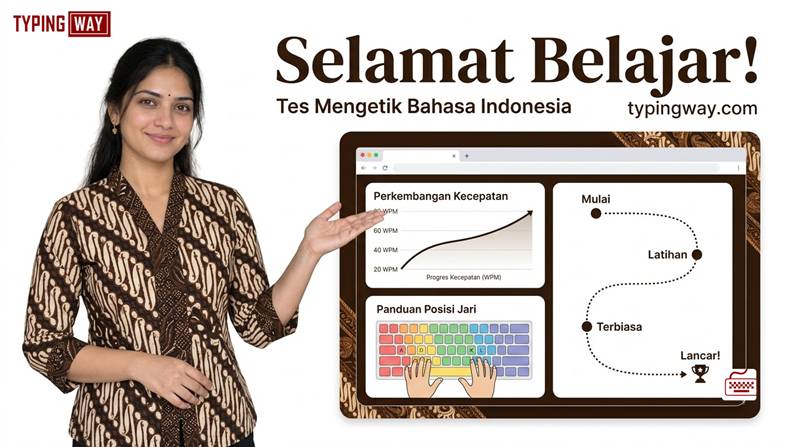
Practise Indonesian and English with One Typing Tool
A useful typing practice platform should let you choose the language that matches your goals. Typingway provides a radio-button language selector that lets you switch between English and the topic language without needing a separate typing application for each language.
Select Indonesian to practise Bahasa Indonesia vocabulary, sentences, and paragraphs. Switch to English whenever you want to work on your English typing speed or develop keyboard skills across both languages.
This flexibility makes the tool useful for multilingual users, students, office employees, language learners, and people who regularly switch between Indonesian and English while working.
Improve Your Bahasa Indonesia Typing Skills
Consistent practice with Indonesian text helps you become familiar with common words, longer expressions, punctuation, and sentence patterns. Rather than repeating the same basic exercise indefinitely, choose a variety of words and paragraphs to develop more flexible typing skills.
If you want to explore typing tests in other languages, try our Portuguese typing test, French typing test, Spanish typing test, Amharic typing test, and Filipino typing test. You can also visit the typing test language selection page to explore other available typing exercises.
Choose Easy, Moderate, Hard, Legal, and Technical Typing Exercises
Typing speed improves through deliberate practice, not simply by repeating easy words. Typingway lets you select different exercise categories so you can work on the skills that matter most to you.
1. Easy Words for Beginners
Easy-word exercises are suitable for new typists who are learning keyboard positions and developing a comfortable typing rhythm. Begin with accuracy and gradually increase your speed as your fingers become more familiar with the keyboard.
2. Moderate Words for Daily Practice
Moderate exercises introduce a wider range of vocabulary and typing patterns. They help you move beyond basic keyboard practice and develop more consistent performance with everyday Indonesian text.
3. Hard Words for Advanced Typists
Hard-word exercises challenge your ability to type longer or less familiar words accurately. They are useful for users who already understand the keyboard layout and want to identify weaknesses in their typing technique.
4. Legal Terms for Professional Practice
Legal typing exercises expose you to formal terminology and text patterns commonly associated with legal documents. This practice may be useful for legal assistants, document preparation staff, administrative employees, and students who regularly work with formal text.
5. Technical Terms for Specialized Vocabulary
Technical typing exercises help you practise unfamiliar terminology and more complex words. They are relevant to users who work with technical documentation, reports, technology-related material, and specialized vocabulary.
Changing exercise categories regularly can help you identify the words and patterns that slow you down. Use your results to choose the next exercise instead of practising only the categories in which you already perform well.
Practise with Indonesian Paragraphs Instead of Individual Words
Individual-word exercises are useful for learning keyboard movements, but paragraph practice introduces additional challenges. You must recognize sentence structure, follow punctuation, maintain a steady rhythm, and avoid losing concentration while moving from one word to the next.
Typingway offers paragraph-based exercises so you can practise longer passages and develop skills that transfer more naturally to everyday typing tasks.
Paragraph practice can help you work on:
- Typing complete Indonesian sentences without unnecessary pauses.
- Maintaining accuracy across longer passages.
- Recognizing punctuation and capitalization patterns.
- Reducing hesitation between familiar words.
- Maintaining a consistent typing rhythm during timed exercises.
For the best results, combine short word drills with paragraph practice. Use word exercises to target weak spots and longer passages to build fluency and endurance.
Make Typing Practice Fun with Gamified Learning
Repetitive typing exercises can become boring, especially when you practise every day. Typingway uses a gamified typing experience to make practice more engaging and encourage you to keep improving.
Instead of treating every session as a routine test, challenge yourself to achieve a better score, complete a longer exercise, reduce your mistakes, and build a consistent practice habit.
Explore the typing games collection for additional ways to practise your keyboard skills. You can also try Bubble Blast for a different style of typing-related entertainment.
Compete on the Top 10 Typing Leaderboard
Once you finish a typing test, you can save your speed and participate in the leaderboard experience. The leaderboard displays the top 10 users, giving you a way to compare your performance with other participants.
Friendly competition can encourage regular practice, but the goal should be to improve your own performance as well. Compare your results over time, work on accuracy, and aim for steady progress rather than chasing speed at the expense of correct typing.
Create a Typing Profile and Build Your Professional Portfolio
If you want to demonstrate your keyboard skills to potential employers, a typing profile can help you organize and present your progress. Typingway allows users to create a profile and build a typing portfolio that can be displayed on a resume or shared as part of a job application.
A well-presented typing portfolio can be relevant when applying for positions such as:
- Data entry operator
- Office assistant
- Administrative assistant
- Document processing operator
- Typing and transcription support roles
- Other jobs requiring regular keyboard use
When presenting your skills, include accurate information about your typing speed, accuracy, and the languages in which you can type. Keep your portfolio up to date and make sure that any performance claims reflect your actual results.
Download a Typing Speed Certificate
Typingway also offers a downloadable typing speed certificate that you can use to demonstrate your test result during a job interview or as supplementary evidence of your typing practice.
A typing certificate can make your skills easier to present, but acceptance depends on the employer or examination authority. If an official recruitment notification requires a particular typing test, approved format, minimum speed, or authorized certificate, follow those requirements. An online practice certificate does not automatically replace an officially prescribed typing examination.
Prepare for Competitive Examinations with Typing Exam Mode
Some recruitment examinations include a timed typing test to evaluate a candidate's typing speed and accuracy. Preparing for such assessments requires more than achieving a high score in a short practice session. You must also become comfortable with time limits, sustained concentration, and the specific rules of the examination.
Typingway includes an exam mode designed around examination-style typing practice. Use it to become more comfortable with timed exercises, practise under pressure, and identify areas that need improvement before an actual assessment.
For additional preparation, visit the typing exam simulator. Candidates preparing for relevant Indian recruitment tests can also explore the High Court LDC typing test to practise an examination-specific typing exercise.
You can also watch the typing tutorials available in this typing practice video playlist to support your learning.
Important: Examination requirements vary by recruiting authority. Always verify the prescribed language, typing duration, minimum speed, permitted errors, keyboard layout, and evaluation method in the relevant official notification. Use exam mode for preparation rather than assuming that every practice setting exactly reproduces every official examination.
Learn Proper Finger Placement with a Touch Typing Guide
Touch typing is the ability to type without constantly looking at the keyboard. It relies on correct finger placement, familiarity with key positions, and repeated practice until common movements become more automatic.
If you are a beginner, start by learning the home-row position and the correct fingers for each group of keys. Practise slowly, maintain a relaxed posture, and avoid looking down at the keyboard whenever possible.
Follow our finger practice guide to learn finger placement and develop better typing habits. A structured approach to finger practice can help you reduce unnecessary finger movement and build a foundation for faster typing.
Simple Touch Typing Tips for Beginners
- Place your fingers on the home row before starting an exercise.
- Use the recommended finger for each key instead of reaching with whichever finger feels easiest.
- Look at the screen rather than repeatedly looking down at the keyboard.
- Start slowly and aim for correct keystrokes.
- Practise for a manageable amount of time each day.
- Increase your speed gradually as your accuracy becomes more consistent.
If you also want to improve your English keyboard skills, explore the English typing tutor for additional guided practice.
Get Personalized Feedback with the AI-Based Typing Tutor
Typing faster is easier when you understand what is holding you back. Typingway offers an AI-based typing tutor designed to provide feedback about your performance and help you identify areas that deserve more practice.
Rather than repeating the same exercise without a clear goal, use the available feedback to guide your next practice session. For example, you may need to concentrate on difficult words, improve consistency, reduce typing errors, or become more comfortable with longer paragraphs.
How to Use Typing Feedback Effectively
- Identify weak areas: Review the feedback provided after your typing exercise.
- Choose targeted practice: Select an appropriate difficulty level or paragraph exercise.
- Prioritize accuracy: Avoid building habits around repeated incorrect keystrokes.
- Retest your performance: Complete another exercise to see whether your practice is helping.
- Build a routine: Repeat this process consistently and increase the challenge as you improve.
The aim is not simply to achieve a high score once. It is to develop typing skills that remain reliable across different types of text and test durations.
Use Minimalist Typing Mode for a Distraction-Free Experience
Some users prefer a clean typing interface without unnecessary visual distractions. Typingway offers a minimalist typing mode for people who want to focus on the exercise and their typing performance.
Try the minimalist English typing test if you prefer a simpler interface while practising English. A distraction-reduced environment can make it easier to concentrate on the text, keyboard, and typing rhythm.
Choose the interface that suits your practice style. The most useful typing setup is one that helps you remain focused and return to practice regularly.
How to Improve Your Indonesian Typing Speed and Accuracy
Improving your Indonesian typing speed takes consistent practice. There is no universal shortcut that guarantees a particular WPM score, but a structured routine can help you identify weaknesses and develop better technique.
1. Establish Your Baseline WPM
Start with a one-minute Indonesian typing test to establish a baseline. Record your speed and accuracy so you can compare later results with your starting performance.
2. Practise at the Right Difficulty
Choose easy or moderate words if you are learning the keyboard. Move to hard, legal, and technical vocabulary when you are ready for more challenging exercises.
3. Focus on Accuracy Before Speed
Trying to type as quickly as possible can introduce mistakes. Concentrate on accurate keystrokes and a comfortable rhythm before attempting to increase your speed.
4. Practise Full Paragraphs
Use Indonesian paragraphs to practise complete sentences, punctuation, and longer stretches of text. This can help you develop more consistent typing habits.
5. Learn Correct Finger Placement
Work through touch typing exercises to become familiar with key positions and reduce unnecessary movement. Correct technique is especially important when you begin increasing your speed.
6. Review Your Results
Use the available performance statistics and AI tutor feedback to determine what you should practise next. Focus on measurable improvement rather than guessing which skills need work.
7. Increase Your Test Duration Gradually
Once you can maintain a comfortable rhythm during short tests, try longer sessions. This helps you work on concentration and endurance without immediately overwhelming yourself.
8. Practise Consistently
A short, focused practice session each day is often more manageable than a long session followed by several days without practice. Choose a routine you can maintain.
How Is Typing Speed Calculated?
Typing speed is commonly expressed in words per minute, or WPM. A widely used convention treats five characters, including spaces, as one standard word for calculation purposes.
Using that convention, a simplified gross WPM calculation is:
Gross WPM = Total characters typed ÷ 5 ÷ Time in minutes
For example, if you type 250 characters in one minute, your gross typing speed under this convention is 50 WPM. Your displayed result may differ depending on the tool's calculation method and how errors are handled.
What Is Typing Accuracy?
Typing accuracy indicates how correctly you reproduce the text you are asked to type. A simplified accuracy calculation compares correct entries with total entries, although the exact method can vary between typing tools.
A high WPM score with frequent mistakes may not reflect reliable typing performance. For practical typing improvement, track both speed and accuracy instead of focusing on one number alone.
What Is a Good Indonesian Typing Speed?
A good typing speed depends on your experience, the difficulty of the text, the test duration, and the requirements of your intended task. Beginners should focus on learning correct finger placement and reducing errors before setting ambitious speed targets.
For professional applications and recruitment examinations, compare your results with the specific speed and accuracy requirements stated by the employer or examination authority. Do not assume that one WPM benchmark applies to every job or examination.
Frequently Asked Questions About the Online Indonesian Typing Test
1. Is the Indonesian typing test on Typingway free?
You can use the Indonesian typing test to practise typing online. Available features and access conditions may vary, so check the tool interface for the current options.
2. Can I take a 1-minute Indonesian typing test?
Yes. You can select a one-minute test to measure your Indonesian typing speed and accuracy in a short session. Longer durations are also available, up to 60 minutes.
3. Can I take an Indonesian typing test for 60 minutes?
Yes. Typingway supports test durations from one minute to one hour, allowing you to practise endurance and maintain a consistent typing rhythm during longer exercises.
4. Can I switch between Indonesian and English?
Yes. Use the language radio button to switch between English and the topic language, allowing you to practise both languages with the same typing tool.
5. Does this tool support Bahasa Indonesia typing practice?
Yes. The Indonesian typing test is intended for practising Bahasa Indonesia through timed typing exercises, vocabulary drills, and paragraph-based practice.
6. Can I practise easy, moderate, and hard Indonesian words?
Yes. You can select different difficulty levels to practise basic vocabulary, more challenging words, and advanced typing exercises according to your skill level.
7. Can I practise legal and technical Indonesian vocabulary?
Yes. Legal-term and technical-term exercises provide additional opportunities to practise specialized vocabulary and more complex words.
8. Can I practise Indonesian paragraphs instead of individual words?
Yes. Paragraph exercises help you practise complete sentences, punctuation, typing rhythm, and sustained concentration.
9. How can I improve my Indonesian typing WPM?
Take regular typing tests, learn correct finger placement, practise words and paragraphs, and focus on accuracy before increasing speed. Review your results and use the available tutor feedback to guide your next practice session.
10. Can I download a typing speed certificate?
Yes. Typingway offers a downloadable typing speed certificate that you can use to present your test result. Check the certificate details and confirm whether it meets the requirements of your intended employer or examination authority.
11. Can I use my typing results on my resume?
Yes. You can create a typing profile and portfolio to present your typing skills. Include accurate speed and accuracy information and describe the languages in which you can type.
12. What is the typing leaderboard?
The typing leaderboard displays the top 10 users. After completing a test, you can save your speed and use the competitive experience as motivation to improve your own results.
13. Does Typingway have an AI typing tutor?
Yes. The AI-based typing tutor is designed to provide personalized feedback about your typing performance and suggest areas where additional practice may help.
14. Can I use this tool to prepare for a government typing examination?
You can use the exam mode to practise timed typing and become more comfortable working under examination conditions. Always verify the official examination pattern, language, duration, speed requirement, and evaluation rules for your specific recruitment process.
15. What is touch typing, and how can I learn it?
Touch typing means typing without constantly looking at the keyboard. Start by learning home-row finger placement and practise using the correct fingers for each key. Visit the finger practice guide for additional help.
16. Can I use the typing test without visual distractions?
Typingway provides a minimalist typing mode for users who prefer a simpler practice environment. You can explore the available minimalist test options to find an interface that suits your needs.
17. Does a high typing speed guarantee a typing job?
No. Typing speed can be useful for keyboard-based jobs, but employers may also assess accuracy, language ability, computer skills, experience, and other qualifications. Some positions require a specific examination or approved certificate.
18. How often should I practise Indonesian typing?
Choose a manageable routine and practise consistently. Even short, focused sessions can help you identify weak areas and develop better typing habits over time.
Start Your Indonesian Typing Practice Today
Whether your goal is to improve your Indonesian typing speed, develop touch typing skills, prepare for an examination, build a professional typing portfolio, or simply enjoy a more engaging way to practise, Typingway gives you multiple ways to work toward your target.
Select your preferred language, choose a test duration from 1 to 60 minutes, and begin with an exercise that matches your current skill level. Explore word drills, paragraph practice, the AI-based typing tutor, gamified challenges, and exam mode as you progress.
Track your performance, learn from your mistakes, and aim for steady improvements in both WPM and accuracy. Your next Indonesian typing practice session is a chance to build a more confident and consistent typing habit.