Free Online Typing Test for Government Exams Preparation — Hindi & English
Typingway is a free Online Tyipng Test platform designed specifically for candidates preparing for government competitive examinations in India. Whether you are appearing for SSC CGL, SSC CHSL, UPSSSC Junior Assistant, RSMSSB LDC, High Court Stenographer, or IBPS Bank exams, Typingway Exam Simulator provides a real exam-like environment to help you practice and improve your typing speed and accuracy for Hindi Typing Test (krutidev) , English Tyipng Test and Marathi Typing Test.
Why Typing Speed Matters in Government Exams
Most government clerical and data entry positions require candidates to clear a mandatory typing skill test. This test evaluates two things — your Words Per Minute (WPM) speed and your typing accuracy percentage. Failing to meet the minimum qualifying criteria means disqualification even if you cleared the written examination with a high score. Regular practice on a platform that simulates real exam conditions is the most effective way to improve both speed and accuracy.
English Typing Test for SSC and Bank Exams
For English typing examinations such as SSC CGL and SSC CHSL, the standard qualifying speed is 35 WPM with a minimum accuracy of 80% to 85%. Typingway Exam simulator provides carefully curated English passages that closely match the difficulty level and style of passages used in actual government examinations. The built-in live WPM counter and accuracy tracker give you real-time feedback so you always know exactly where you stand.
Hindi Krutidev Typing Test for State Government Exams
Hindi typing examinations conducted by state governments — including RSMSSB, UPSSSC, and Rajasthan High Court — use the krutidev Font as the official standard. Typingway Exam simulator fully supports Krutidev font as well as Mangal Font rendering for Hindi Typing Practice, giving you an authentic practice environment without needing any additional software installation. Simply switch the language toggle to Hindi and start practicing immediately.
Key Features of Typingway Exam Simulator
- Exam-specific mode — each exam has its own passing WPM and accuracy criteria so you know exactly what you need to achieve
- Real countdown timer — practice under actual time pressure just like the real examination hall
- Live WPM and accuracy tracking — see your performance update in real time as you type
- Hindi Krutidev font support — full support for the official Hindi typing font used in state government exams
- Backspace toggle — disable backspace to simulate strict exam conditions where corrections are penalised
- Word highlight toggle — turn on character-level highlighting to visually track correct and incorrect keystrokes
- Multiple color themes — choose from Light, Dark, Sepia and Slate themes for a comfortable typing experience
- Detailed result screen — view your WPM graph, wrong words list, and pass or fail verdict after every test
- No registration required — completely free with no login, no sign-up, and no hidden charges
How to Use Typingway Exam Simulator
Using Typingway is simple. First, select the government exam you are preparing for from the exam selection screen. Each exam card displays the required WPM speed, accuracy percentage, and time duration. After selecting your exam, you will be taken to the Typing Test for Government Exams screen where your passage and input area are displayed side by side. Begin typing and the timer will start automatically. Once you complete the passage or the time runs out, your detailed result is shown instantly including your WPM score, accuracy, wrong words, and whether you passed or failed based on the exam criteria.
Typingway is a powerful platform designed to help you master typing skills with ease and efficiency. Whether you're just starting out or looking to improve your speed and accuracy, you can Learn Touch Typing step by step. It also offers a dedicated Typing Tutor For learning hindi typing for users who want to type comfortably in Hindi. To test your skills, try the Paragraph Typing Test for Government Exams in English or challenge yourself with the Paragraph Typing Test for Government Exams - Hindi. Typingway keeps things minimal, focused, and effective so you can improve faster without distractions.
Tips to Improve Your Typing Speed for Government Exams
Improving typing speed requires consistent daily practice. Start by focusing on accuracy rather than speed — a clean 25 WPM is more valuable than a sloppy 40 WPM filled with errors. Practice for at least 30 to 45 minutes every day. Use the backspace-off mode to train yourself to type carefully the first time. Gradually increase your target speed week by week. For Hindi typing, spend extra time learning the Krutidev keyboard layout until your finger positions become muscle memory. Most candidates who practice consistently for 30 to 45 days are able to comfortably clear the minimum qualifying criteria for most state and central government typing tests.
Typingway isn’t just about learning—it’s also about having fun while improving your skills. Dive into exciting Typing Games designed to boost your speed and accuracy in an engaging way. Pop letters quickly in the Bubble Blast Typing Game, feel the rush with the fast-paced Typing Heat Game, or go on an adventure to rescue royalty in the Save The Princess Typing Game. These games make practice addictive, helping you improve without even realizing how much you're learning.
Exam-wise Typing Speed Requirements
Different government examinations have different qualifying standards. Here is a quick reference for the most popular exams:
| Examination | Minimum WPM | Minimum Accuracy | Duration | Language |
|---|---|---|---|---|
| SSC CGL Tier-I | 35 WPM | 80% | 10 min | English |
| SSC CHSL | 35 WPM | 85% | 15 min | English |
| RSMSSB LDC | 30 WPM | 75% | 10 min | Hindi / English |
| UPSSSC Junior Assistant | 25 WPM | 85% | 10 min | Hindi |
| IBPS Clerk | 20 WPM | 80% | No limit | English |
| High Court Stenographer | 50 WPM | 90% | 10 min | English / Hindi |
Designed to Replicate the Exact Government Exam Environment
Most online typing tools are built for casual speed testing — flashy animations, gamified streaks, leaderboards, and sound effects. While these features make typing fun, they do nothing to prepare a serious government exam aspirant for the actual examination hall. Typingway was built with a completely different philosophy. Every single design decision — from the distraction-free interface to the exam-specific pass and fail verdict — was made to mirror the exact environment you will face on the day of your actual typing examination.
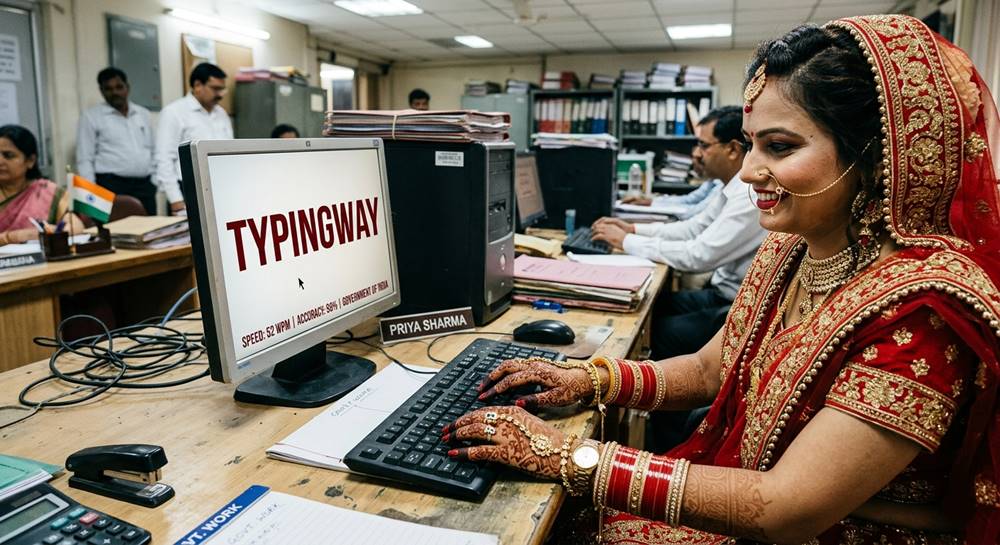
When you sit in a government examination centre for a typing skill test, the software on that computer is minimal, clinical, and unforgiving. There are no hints, no encouraging animations, no second chances. You are given a passage, a timer, and an input box. Your performance is measured purely on speed and accuracy. Typingway recreates this exact environment in your browser so that by the time you walk into the examination hall, the interface feels completely familiar and you can focus entirely on typing rather than figuring out the software.
The Typing Test Interface — Built for Focus, Not Fun
The Typingway interface consists of exactly two things that matter — the passage display area and the typing input area. Both are deliberately kept the same size and positioned directly one above the other so your eyes naturally move between them without any effort. There are no sidebars crowding your view during the test, no pop-ups, no notification banners. The only information visible during the test is your current WPM, your accuracy percentage, and the countdown timer — the exact three metrics that matter in a real exam.
The passage display uses a clean monospace font that renders every character at equal width, making it easy to track your position in the text. As you type, each character you get right turns green and each wrong character is marked in red with an underline — giving you instant visual feedback without breaking your typing rhythm. The current word you are typing is softly highlighted so you always know exactly where you are in the passage even during fast typing sessions. All of this can be toggled off if you prefer a completely plain interface, just like some actual exam software provides.
Exam-Specific Pass and Fail Criteria — Not Just a Speed Test
One of the most important ways Typingway differs from generic typing speed tests is that every exam on the platform has its own specific qualifying WPM and minimum accuracy requirement. When you select SSC CGL, the system knows you need 35 WPM and 80% accuracy to pass. When you select High Court Stenographer, it knows the bar is 50 WPM at 90% accuracy. At the end of every test, Typingway shows you a clear PASSED or FAILED verdict based on the actual qualifying criteria of that specific examination — not a generic performance rating.
This matters enormously for exam preparation. A candidate who types at 32 WPM with 95% accuracy might feel confident after seeing a high accuracy score on a generic typing tool. But on Typingway, they will see a clear FAILED result for SSC CGL because their speed fell short of the 35 WPM requirement. This honest, exam-specific feedback is what keeps your preparation grounded in reality rather than false confidence.
The Countdown Timer — Practicing Under Real Pressure
Time pressure is one of the biggest challenges candidates face in actual government typing examinations. Many aspirants type comfortably at 40 WPM during relaxed practice but slow down to 28 WPM when a countdown timer is running and their job opportunity depends on the result. This is because typing under time pressure is a fundamentally different psychological experience from casual practice. The only way to overcome this is to practice under the same conditions repeatedly until the timer becomes background noise rather than a source of anxiety.
Typingway's countdown timer is always visible at the top of the screen, turning red in the final 10 seconds — exactly as many actual exam interfaces do. The timer starts the moment you begin typing, not when you load the page, so you always have a moment to read the passage and prepare yourself. When the time runs out, the test ends instantly and your result screen appears. If you finish the passage before the timer runs out, the test also ends immediately and your result is calculated based on the actual time you took — rewarding efficient, fast typists with better WPM scores.
Backspace Behaviour — Critical for Exam Authenticity
One of the most overlooked aspects of government typing exam preparation is understanding the backspace rules of your specific examination. Different exams have completely different policies regarding corrections. SSC CGL and SSC CHSL permit the use of backspace and candidates can correct their mistakes before moving on. However, exams like UPSSSC Junior Assistant and certain High Court examinations either disable backspace entirely or apply heavy accuracy penalties for corrections.
Typingway includes a dedicated Backspace Toggle in the settings panel. When backspace is turned ON, you can correct your mistakes freely — ideal for practicing SSC-pattern exams. When backspace is turned OFF, the key is completely disabled just like in strict examination software. Practicing with backspace disabled forces you to slow down slightly and type more carefully the first time, which ultimately improves your base accuracy over weeks of practice. Candidates preparing for strict-backspace exams should spend at least half of their practice sessions with backspace disabled to build the necessary muscle memory and mental discipline.
Hindi Krutidev Typing — Authentic Font Rendering
For candidates preparing for state government examinations that require Hindi typing, the Krutidev font is the non-negotiable standard. Krutidev is a legacy encoding font where the characters on the keyboard do not correspond to the Unicode Hindi characters — instead, the font maps each key to a specific Devanagari glyph visually. This means that practicing Hindi typing on a standard Unicode-based platform gives you a completely wrong experience. You need to practice on software that actually renders Krutidev font exactly as the exam software does.
Typingway renders all Hindi passages and the typing input area using the genuine Krutidev TTF font, the exact same font file used in examination centres across Rajasthan, Uttar Pradesh, and Madhya Pradesh. When you switch the language toggle to Hindi, both the passage display and your input box immediately switch to Krutidev rendering. The characters appear exactly as they will on exam day. There is no keyboard mapping logic or on-screen keyboard — just pure, authentic Krutidev font display that matches the real examination environment character for character.
Multiple Exercises Per Exam — Variety Builds Real Skill
Repeatedly practicing on the same passage is one of the most common mistakes typing exam aspirants make. When you memorise a passage, your fingers begin to anticipate the next word before your eyes have even read it. This creates a false sense of speed that completely disappears the moment you encounter an unfamiliar passage in the actual examination. Real typing skill is the ability to type any text at speed — not one specific text you have practiced hundreds of times.
Typingway provides multiple distinct exercise passages for both English and Hindi typing, each carefully chosen to match the vocabulary, sentence structure, and complexity level of passages actually used in government examinations. Government exam passages typically include formal language, office correspondence style sentences, and occasionally technical or administrative terminology. The exercises on Typingway reflect this so you are always building skill that transfers directly to the real exam environment rather than skill at typing one specific familiar text.
The Result Screen — Detailed, Honest, Actionable
After every test on Typingway, you are taken to a comprehensive result screen that gives you far more than just a WPM number. The result screen shows your final WPM, your accuracy percentage, the exam's qualifying criteria, a clear PASSED or FAILED verdict, the total time taken, a WPM graph showing how your speed changed over the course of the test, and a complete list of every word you typed incorrectly.
The wrong words list is one of the most valuable features for serious exam preparation. By reviewing which specific words tripped you up, you can identify patterns in your mistakes. Perhaps you consistently mistype words with double letters, or struggle with certain letter combinations. Perhaps your Hindi Krutidev errors cluster around specific character mappings. Once you know your specific weak points, you can target them deliberately in your next practice session rather than just typing randomly and hoping to improve.
The WPM graph reveals another important dimension of your performance — consistency. A candidate who types at a steady 35 WPM throughout the test is in a far better position than one whose speed peaks at 50 WPM for thirty seconds and then drops to 20 WPM due to fatigue or loss of focus. Government exam scoring typically measures your overall speed across the entire duration, so consistency matters as much as peak speed. Use the WPM graph after every session to track whether your speed is stable or fluctuating, and work on building a smooth, consistent rhythm over time.
Settings That Persist — Pick Up Exactly Where You Left Off
Typingway saves all your settings automatically using your browser's local storage. Your preferred color theme, selected language, chosen exercise, timer duration, backspace preference, and highlight toggle state are all remembered between sessions. The next time you open Typingway, everything is exactly as you left it — you can immediately start practicing without spending time reconfiguring the tool each session. This small convenience makes a real difference when you are practicing daily and want your session to begin the moment you open the browser.
Color Themes — Comfort During Long Practice Sessions
Eye comfort matters when you are practicing for 30 to 45 minutes every day. Typingway offers four carefully designed color themes — Light, Dark, Sepia, and Slate. The Light theme closely matches the white background interface of most actual government exam software, making it the best choice for exam simulation practice. The Dark and Slate themes are better for late-night practice sessions when a bright white screen causes eye strain. The Sepia theme provides a warm, paper-like tone that many candidates find easy on the eyes during long sessions. Your chosen theme is saved automatically and applied every time you return.
No Registration, No Data Collection, No Distractions
Typingway requires absolutely no account creation, no email address, no phone number, and no personal information of any kind. Open the website, select your exam, and start typing. Your practice data stays entirely within your own browser — nothing is sent to any server. There are no pop-up notifications asking you to sign up for a premium plan, no countdown to a daily practice limit, and no badges or streak counters designed to manipulate your time on the platform. Typingway exists for one purpose only — to help you pass your government typing examination — and every design decision reflects that singular focus.
Who Should Use Typingway
Typingway is built for any candidate who has a government typing skill test as part of their selection process. This includes aspirants preparing for SSC CGL Data Entry Operator posts, SSC CHSL Lower Division Clerk posts, UPSSSC Junior Assistant, RSMSSB LDC and Junior Assistant posts, Rajasthan High Court LDC and Stenographer posts, IBPS and SBI Clerk posts, and various other central and state government positions that require a typing qualification. If your dream job has a typing test for Government Exams standing between you and the appointment letter, Typingway is the tool to help you clear it.
Whether you are a complete beginner who has never touched a typing practice tool before, or an intermediate typist already at 28 WPM trying to push past the 35 WPM barrier, Typingway adapts to your level. Beginners can start with no-timer mode to build basic accuracy without pressure. Intermediate candidates can switch to timed mode with the exact duration of their target exam. Advanced candidates can disable backspace, choose the hardest exercise passages, and practice under full exam simulation conditions. The platform grows with you throughout your preparation journey.
The Complete Typing Skill Ecosystem — Everything You Need in One Place
Clearing a government typing examination is rarely a single-step journey. Most serious aspirants go through multiple phases — first learning the correct finger placement and keyboard layout, then building raw speed through repetitive practice, then simulating actual exam conditions under timed pressure, and finally fine-tuning their weak areas based on detailed performance feedback. Typingway is not just a single typing test tool — it is a complete ecosystem of resources designed to support you through every single phase of this journey, from absolute beginner to exam-ready candidate.
Whether you need to practice Online Typing Test for Government Exams sessions to benchmark your current speed, work through structured lessons with a Typing Tutor for learning Hindi typing, or simply take a quick Paragraph Typing Test for Government Exams to warm up before a long practice session — everything is available within the Typingway platform. This integrated approach means you never need to juggle multiple websites or tools. Your entire preparation happens in one place, with a consistent interface that you become deeply familiar with over the weeks of your preparation.
Hindi Typing Test — Krutidev and Mangal Font Both Supported
Hindi typing examinations in India are divided into two distinct categories based on the font standard used — Krutidev and Mangal (Inscript). Understanding which font your specific exam uses is critical because the keyboard layouts are completely different. Practicing on the wrong font is not just unhelpful — it actively builds the wrong muscle memory and can make your performance worse on exam day.
The Krutidev font is the older legacy standard used by most state government examinations including RSMSSB, UPSSSC, Rajasthan High Court, and many Madhya Pradesh state exams. If your examination notification mentions Krutidev or Devlys font, you should practice exclusively on the Hindi Typing Test for Government Exams (Krutidev Font) available on Typingway. This tool renders the exact Krutidev character mapping that appears in actual examination software so your fingers learn the correct key positions from day one.
The Mangal font with Inscript keyboard layout is the newer Unicode-based standard mandated by the central government and increasingly adopted by state governments as well. SSC examinations, certain UPSC posts, and newer state recruitment boards are gradually shifting toward Mangal Inscript. If your exam uses this standard, practice on the Hindi Typing Test for Government Exams (Mangal Font) which is specifically designed for Inscript keyboard layout practice. Never mix your practice between the two fonts — commit to whichever one your exam requires and build your muscle memory exclusively around that layout.
Marathi Typing Test for Government Exams — For Maharashtra State Government Aspirants
Government typing examinations are not limited to Hindi and English. Candidates appearing for Maharashtra state government positions — including posts under MPSC, Zilla Parishad, and various Maharashtra government departments — are required to clear a Marathi typing skill test. The Marathi language uses the same Devanagari script as Hindi but has its own specific character set, keyboard layout, and examination standards.
Typingway's Marathi Typing Test for Government Exams provides dedicated practice passages in Marathi with authentic font rendering, timed exam simulation, and real-time WPM and accuracy tracking specifically calibrated for Maharashtra state government examination requirements. If you are preparing for any Maharashtra government typing test, use this dedicated tool rather than a generic Hindi typing platform to ensure your practice is perfectly aligned with the actual examination standard you will face.
Learn Touch Typing — The Foundation of All Typing Speed
Raw practice on typing test for Government Exams tools will improve your speed over time, but candidates who learn proper touch typing technique from the beginning progress significantly faster than those who type by looking at the keyboard. Touch typing is the ability to type without looking at your keys — each finger is assigned responsibility for specific keys, and through repetition, your fingers learn to find those keys automatically without any conscious effort or visual confirmation.
The speed ceiling for a hunt-and-peck typist — someone who uses two fingers and looks at the keyboard — is typically around 30 to 40 WPM. This is dangerously close to the minimum qualifying speed for most government exams, leaving almost no margin for errors or nervousness on exam day. A proper touch typist, by contrast, can comfortably reach 50 to 80 WPM with consistent practice because all ten fingers are working simultaneously and no time is wasted searching for keys.
If you are early in your preparation journey and have not yet learned touch typing, the most valuable investment of your time right now is to spend one to two weeks on the Learn Touch Typing lessons before moving into timed speed practice. These structured lessons teach you the correct home row position, the proper finger assignments for every key, and the muscle memory drills that build automatic finger movement. The initial days will feel slow and frustrating — your speed will temporarily drop below your hunt-and-peck speed. Push through this phase. Within two weeks your speed will recover and within a month it will surpass your previous ceiling and continue climbing far beyond what hunt-and-peck can ever achieve.
Hindi Typing Tutor — Structured Learning for Krutidev Beginners
Learning the Krutidev keyboard layout from scratch is one of the most challenging aspects of government exam preparation for Hindi-medium candidates. Unlike English, where the QWERTY keyboard layout is already familiar to most people from years of using smartphones and computers, the Krutidev layout is completely unfamiliar to beginners. Every key produces a character that has no intuitive relationship to what is printed on a standard keyboard, making the initial learning curve steep and often discouraging.
The Typing Tutor for learning Hindi typing on Typingway addresses this challenge with a structured, lesson-by-lesson approach specifically designed for Krutidev beginners. Rather than throwing you into a full paragraph test immediately, the tutor breaks the Krutidev keyboard into manageable groups of characters and teaches you each group systematically. You start with the most frequently used characters — those that appear most often in Hindi government exam passages — and progressively add new characters as your confidence builds. By the time you complete the structured tutor lessons, you will have a working knowledge of the entire Krutidev keyboard and be ready to transition into full paragraph practice on the exam simulation tool.
Paragraph Typing Test for Government Exams — Build Stamina for Full-Length Passages
Government typing examinations typically involve typing a complete passage of 300 to 500 words within a fixed time limit. This is very different from the short 1-minute or 2-minute tests that many online speed checkers use. Typing accurately at speed for 10 to 15 minutes continuously requires a level of stamina and concentration that only develops through practice on full-length passages. Short tests simply do not build the sustained focus required for a 10-minute government exam.
The Paragraph Typing Test for Government Exams for English and the Paragraph Typing Test for Government Exams for Hindi on Typingway are both designed around full-length passages that match the word count and difficulty of actual government exam material. The minimal, distraction-free interface of these tools strips away everything except the passage and your input, creating the cleanest possible practice environment. Use these paragraph tests to build the sustained concentration and stamina that a 10 to 15 minute government exam requires — they are the closest thing to the actual exam experience available for free online.
Compete on the Leaderboard — Measure Yourself Against Real Candidates
Practicing alone is effective, but there is a unique motivational power in knowing how your speed and accuracy compare to other real candidates preparing for the same examinations. Competition sharpens focus in a way that solo practice cannot. When you know your score will appear alongside thousands of other aspirants, the pressure you feel is closer to actual exam pressure than any timer can replicate on its own.
Typingway's Leaderboard lets you compete against other typing test for Government Exams candidates from across India in real time. See exactly where your WPM ranks among thousands of active users. Use the leaderboard not as a source of discouragement if your rank is low, but as a precise benchmark that tells you exactly how much improvement you need to be genuinely competitive. Candidates who regularly check their leaderboard standing report stronger motivation to practice daily and faster improvement rates than those who practice in complete isolation.
Typing Games — Make Practice Enjoyable Without Losing Seriousness
Daily typing practice can become monotonous, especially during the middle weeks of a long preparation period when the initial motivation has faded but the examination is still weeks away. This is the period when many candidates begin skipping practice sessions, and it is precisely the period that separates those who qualify from those who fall just short. Finding ways to maintain your daily practice habit through this motivational dip is one of the most important strategies in any exam preparation plan.
Typingway's collection of Typing Games provides a way to keep your fingers active and your typing skills sharp on days when sitting down for a formal timed practice session feels like too much. These games are not a replacement for serious exam simulation practice — they are a supplement that keeps you engaged and typing on low-energy days rather than skipping practice entirely.
Bubble Blast Typing Game challenges you to type words quickly before bubbles reach the top of the screen, building your word recognition speed and reaction time under gentle pressure. Typing Heat Game introduces competitive intensity as you race against escalating difficulty, pushing your speed in short bursts that are excellent for building peak WPM capacity. Save the Princess Typing Game wraps typing challenges in a light narrative that makes extended practice sessions feel less like work and more like play.
Use typing games strategically — on days when you have limited time or low energy, spend 15 minutes on a typing game instead of skipping practice entirely. On high-energy days, always prioritise the full exam simulation mode on Typingway's main tool. The combination of serious timed practice and occasional game-based practice creates a sustainable daily habit that can be maintained across the full 30 to 60 day preparation period most candidates need.
Find a Typing Teacher Near You — For Candidates Who Need Personal Guidance
Self-directed online practice works extremely well for the majority of typing exam candidates. However, some candidates — particularly those who are complete beginners, those who have developed strong bad habits like incorrect finger positioning, or those who are struggling to break through a specific speed plateau despite weeks of practice — benefit enormously from the personalised feedback and correction that only a human teacher can provide.
A qualified typing instructor can identify in minutes the specific technical issues that are limiting your speed — whether it is incorrect wrist positioning causing fatigue, over-reliance on certain dominant fingers, or inconsistent rhythm that creates bursts of speed followed by hesitation. These issues are almost impossible to self-diagnose through online practice alone. If you have been practicing consistently for four to six weeks and your WPM has stopped improving, or if you are a complete beginner who wants to learn correct technique from the start, consider using Typingway's Find Teachers Near You directory to locate a qualified typing instructor in your city.
Local typing institutes and coaches are far more accessible and affordable in India than most candidates realise. Many coaches offer intensive short-term batches specifically designed for government exam candidates in the final weeks before their examination. Even four to six sessions with a good instructor can produce dramatic improvements that months of unsupervised online practice failed to achieve — because the instructor can correct the fundamental technique errors that were silently capping your progress.
Building a 30-Day Typing Practice Plan for Government Exams
Having access to the right tools is only half the battle. The other half is showing up consistently every single day and following a structured progression that builds your skill systematically rather than randomly. Here is a practical 30-day framework that integrates all of Typingway's resources into a coherent preparation plan.
Days 1 to 7 — Foundation. If you are new to touch typing, spend this week exclusively on the Learn Touch Typing lessons and the Hindi Typing Tutor if Hindi is your exam language. Do not worry about speed at all during this week. Focus entirely on correct finger placement and hitting every key with the correct finger. Twenty to thirty minutes per day is sufficient for this phase.
Days 8 to 15 — Speed Building. Begin using the Paragraph Typing Test for Government Exams or Hindi paragraph test in no-timer mode. Complete full passages without time pressure, focusing on maintaining accuracy above 85%. Note your wrong words after every session and spend five minutes at the end of each session deliberately practicing those specific words. Check the Leaderboard at the end of this week to see where your speed ranks among other active candidates.
Days 16 to 24 — Exam Simulation. Switch to the full exam simulation mode on Typingway. Select your specific target exam and practice complete timed sessions with the exact timer duration of your real examination. Disable backspace if your exam does not allow it. Practice at least two full timed sessions per day. Review your WPM graph and wrong words list after every session. On low-energy days substitute one session with a Typing Heat Game or Bubble Blast session to stay active without burning out.
Days 25 to 30 — Peak Conditioning. In the final week before your examination, maintain your speed with one full exam simulation session per day. Do not try to learn anything new or change your technique at this stage — your goal is simply to maintain the skill level you have built. Use the Online Typing Test for Government Exams for quick daily benchmarking. Sleep well, keep your practice sessions consistent, and walk into the examination hall knowing that the interface, the pressure, and the passage format are all completely familiar to you from weeks of authentic simulation practice on Typingway.
Why Typingway Is the Most Exam-Authentic Free Typing Tool in India
There are dozens of typing test for Government Exams websites available online. Most of them were built for casual users who want to know their typing speed out of curiosity. Typingway was built specifically for Indian government exam aspirants who have a real, high-stakes examination ahead of them and need a tool that takes that seriously. The exam-specific pass and fail verdicts, the authentic Krutidev and Mangal font rendering, the backspace toggle, the distraction-free interface, the full-length passage format, the WPM graph, the wrong words analysis, and the complete ecosystem of supporting tools — every feature on this platform exists because a real government typing exam candidate needs it.
If you are serious about clearing your government typing examination, make Typingway your daily practice home. Select your exam, set your timer, disable backspace if your exam requires it, switch to the correct language and font, and type. Do this every day. The result screen will tell you honestly whether you are ready. Keep practicing until it consistently says PASSED. Then walk into your examination with complete confidence — because you have already passed it dozens of times.
Start Your Typing Practice Today
Every day you delay your typing practice is a day closer to your exam with less preparation behind you. Typing speed is one of the few skills in government exam preparation that improves almost mechanically with consistent daily practice — unlike reasoning or quantitative aptitude which require deep conceptual understanding, typing speed responds directly and predictably to the hours you put in. Thirty minutes a day for thirty days will produce a measurable, significant improvement in your WPM and accuracy that no amount of last-minute cramming can replicate.
Scroll back to the top, select your exam from the list, and take your first test right now. See exactly where your speed and accuracy stand today. Note your wrong words. Check your WPM graph. Then come back tomorrow and do it again. That is the entire formula. Typingway will be here every day, free, with no distractions, ready to help you earn that government job.
Frequently Asked Questions — Typing Test for Government Exams
What is the minimum typing speed required for SSC CGL?
The minimum typing speed required for SSC CGL is 35 Words Per Minute (WPM) with a minimum accuracy of 80%. The test duration is 10 minutes and is conducted in English only.
What font is used in Hindi government typing exams?
Most Hindi government typing examinations in India, including RSMSSB, UPSSSC, and Rajasthan High Court, use the Krutidev font as the official standard. Typingway fully supports Krutidev font so you can practice in the exact same environment as the real exam.
Is Typingway free to use?
Yes, Typingway is completely free. There is no registration, no login, and no subscription required. Simply open the website and start practicing immediately.
How is WPM calculated in a typing test for Government Exams?
WPM stands for Words Per Minute. In standard typing tests for Government Exams, one word is counted as every 5 correct keystrokes. So if you type 175 correct characters in one minute, your WPM is 35. Typingway calculates your WPM in real time using this standard formula.
Can I practice without a timer on Typingway?
Yes. You can select No Timer from the settings panel on the typing test for Government Exams screen. In no-timer mode, the test ends when you complete the full passage and shows your final WPM and accuracy result.
What typing speed is required for RSMSSB LDC?
The minimum typing speed for RSMSSB LDC is 30 WPM with a minimum accuracy of 75%. The test is conducted for 10 minutes and may be in Hindi Krutidev or English depending on the post applied for.
How many days of practice are needed to clear a typing test for Government Exams?
Most candidates who practice for 30 to 45 minutes daily are able to reach the qualifying speed within 30 to 45 days. The key is consistency — practicing every day is far more effective than long sessions once or twice a week.
Does Typingway work on mobile phones?
Yes, Typingway is fully responsive and works on mobile phones and tablets. However, for the best typing practice experience, using a physical keyboard on a desktop or laptop is strongly recommended as government typing exams are always conducted on desktop computers.
What is the difference between gross WPM and net WPM?
Gross WPM is your raw typing speed counting all keystrokes including errors. Net WPM deducts a penalty for mistakes — typically one word per error per minute. Most government examinations in India measure net WPM, so accuracy is just as important as raw speed.
Is backspace allowed in government typing exams?
It depends on the exam. Some exams like SSC CGL and SSC CHSL allow backspace corrections, while others like UPSSSC and High Court exams do not allow it or heavily penalise corrections. Typingway has a backspace toggle so you can practice under whichever condition your target exam requires.