🧊
+1
0 WPM
Highlit
Back
Telugu
En
⏱️ :
60
 Loading...

Inscript Keyboard
NOTE: If you have a correct keyboard layout installed on your computer, uncheck the above box.
Press ALT + 0256 for this charecter
Change Font : Krutidev 010
Change Test :
Random Words
▼
LEADER-BOARD
GLOBAL RANKING (TOP 10)
GLOBAL RANKING (TOP 10)
Online Telugu Typing Test: Free Telugu Typing Speed Test (1 Minute to 1 Hour)
Looking for the best online Telugu typing test to check your typing speed, improve your accuracy and get a typing certificate? You are in the right place. Our free Telugu typing speed test lets you measure your words per minute (WPM) in Telugu and English, practice with real paragraphs, prepare for government typing exams and even build a typing portfolio for your resume. No complicated setup is needed. Pick a duration, start typing and see your result in seconds.
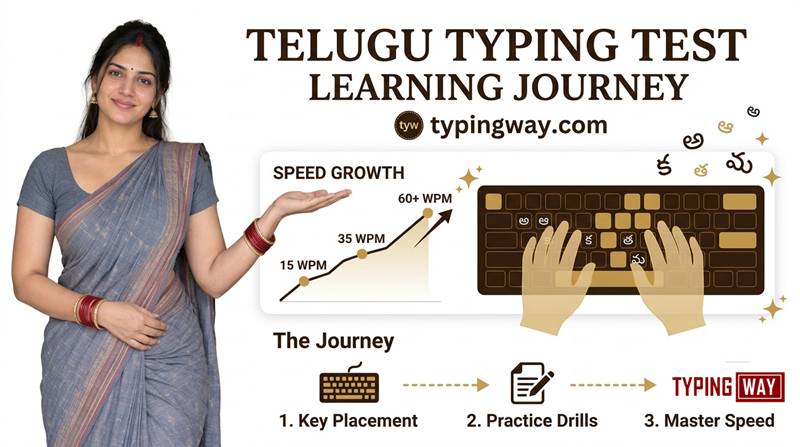
What Is an Online Telugu Typing Test?
An online Telugu typing test is a web-based tool that measures how fast and how accurately you type in the Telugu language. You are shown a passage and asked to type it within a fixed time. When the timer ends, you get your typing speed (WPM), accuracy percentage, number of mistakes and net speed.
Telugu typing tests are widely used by students, job seekers, data entry operators, court and office staff, journalists, content writers and anyone who wants to type faster in Telugu.
Key Features of Our Telugu Typing Test Tool
1. Typing Test Duration from 1 Minute to 1 Hour
Choose the duration that suits your goal. Take a quick 1 minute typing test for a speed check, or go all the way up to a 1 hour typing test to build stamina and consistency. You can pick 1, 2, 3, 5, 10, 15, 30 minutes or longer, whatever you need for practice or exam preparation.
2. Switch Between Telugu and English Instantly
Use the simple radio button to switch between Telugu typing and English typing without leaving the page. This helps you practice both languages, which is useful because many job tests ask for both. Want more English practice? Try our English typing tutor.
3. Multiple Exercise Levels
Choose the difficulty and topic that match your skill:
- Easy words for beginners
- Moderate words for steady improvement
- Hard words to challenge experienced typists
- Legal terms for court, advocate and legal assistant typing
- Technological terms for IT, computer and office work
4. Practice with Different Paragraphs
Typing the same passage again and again makes practice less useful. Our tool offers many different paragraphs, so you improve at real typing instead of memorizing text. For more variety, you can also use the select typing test page to pick the exact test you want.
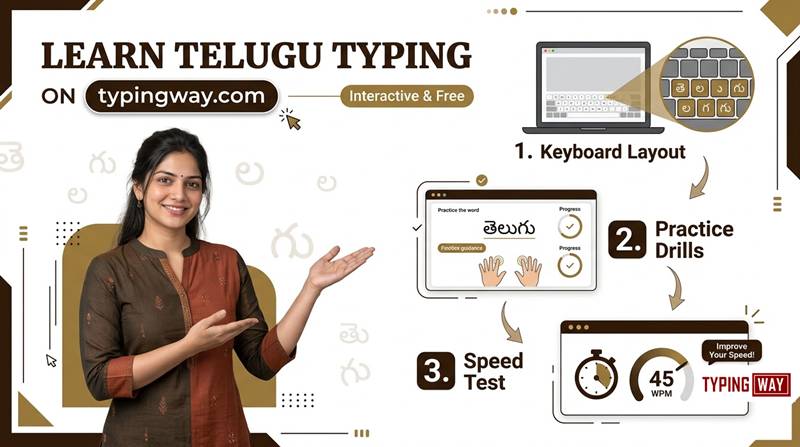
5. Gamified Typing Engine and Top 10 Leaderboard
Typing practice should not be boring. Our gamified typing engine keeps you motivated with live feedback and scores. When your test ends, save your speed and compete on the leaderboard, where the top 10 typists are listed. Want even more fun? Play our typing games, including Bubble Blast, to build speed while you play.
6. Typing Profile and Portfolio for Your Resume
Create a free profile and build a complete typing portfolio that shows your speed history, accuracy and progress. Add the link to your resume or CV to prove your skills to employers when applying for typing jobs, data entry roles and clerical posts.
7. Download Your Typing Speed Certificate
After completing a test, you can download a typing speed certificate that shows your WPM and accuracy. It is a handy extra to carry to a job interview or attach to an application.
8. Exam Mode for Government Typing Tests
Preparing for a government job? Our exam mode is built on the official exam pattern, so you practice in conditions similar to the real test. Try the typing exam simulator or the High Court LDC typing test to see how you perform under exam pressure.
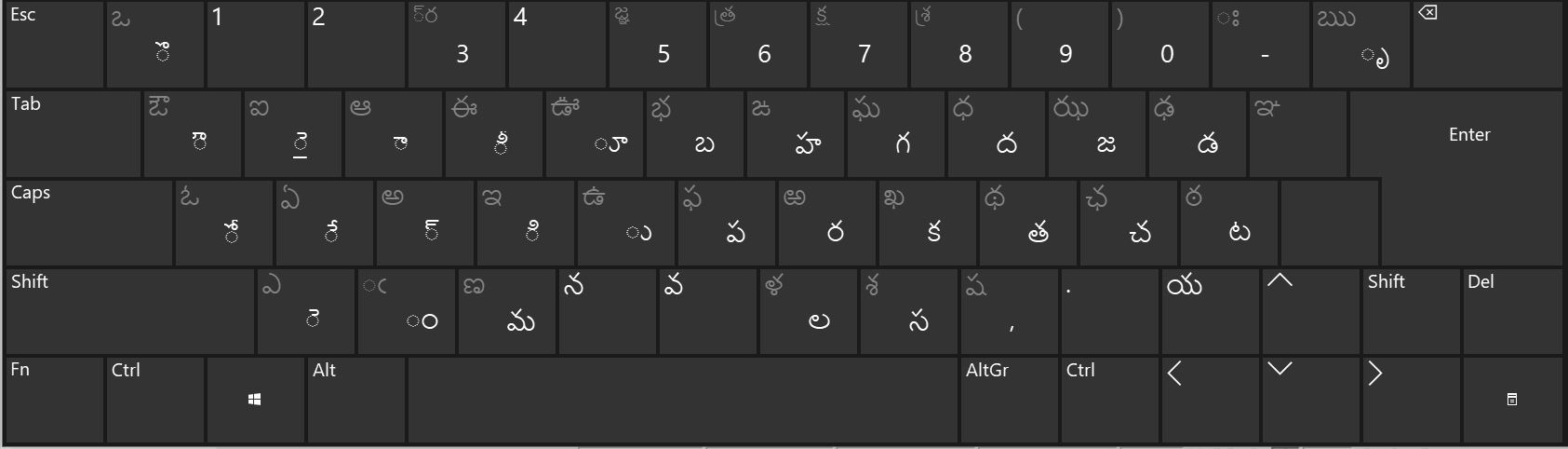
9. Finger Practice Guide for Touch Typing
Speed starts with correct finger placement. Our finger practice guide teaches you how to place your fingers on the home row, which finger presses which key and how to type without looking at the keyboard. Start with the finger practice lessons and you will see your speed and accuracy rise. You can also watch this video tutorial on typing practice to learn the technique step by step.
10. AI-Based Typing Tutor with Personal Feedback
Our AI typing tutor studies your test results and shows you where you are weak. It points out the keys, words and patterns that cause the most mistakes and tells you what to practice next. Instead of guessing, you get a clear plan to improve your Telugu typing speed faster.
11. Minimalist Mode with No Ads or Distractions
Want to focus only on typing? Switch on minimalist mode to remove ads and extra elements and get a clean, distraction-free screen. You can also try the minimal English typing test for a pure, simple typing experience.
How to Take the Online Telugu Typing Test
- Select the language: choose Telugu (or English) with the radio button.
- Choose the duration: from 1 minute up to 1 hour.
- Pick the exercise type: easy, moderate, hard, legal terms or technological terms.
- Start typing: the timer begins when you press the first key.
- Check your result: view your WPM, accuracy and mistakes.
- Save your score: join the leaderboard, update your portfolio or download your certificate.
Why Practice Telugu Typing Online?
- Boost your career: typing speed is a core requirement for data entry, clerk, court, office assistant and many government jobs.
- Save time: type documents, emails and reports in Telugu much faster.
- Improve accuracy: fewer mistakes mean less time spent on corrections.
- Track progress: see your improvement over days and weeks.
- Free and easy: works in your browser on a laptop or desktop with no software to install.
Tips to Increase Your Telugu Typing Speed
- Learn touch typing and keep your fingers on the home row.
- Focus on accuracy first, then speed. Speed comes naturally with accuracy.
- Practice 10 to 20 minutes every day instead of one long session once a week.
- Sit with a straight back and relaxed wrists.
- Take tests in different difficulty levels so you are ready for any passage.
- Use the AI tutor feedback to practice your weak keys.
- Take regular full-length tests in exam mode before your government exam.
Who Can Use This Telugu Typing Test?
- Students learning Telugu typing
- Government job aspirants preparing for typing exams
- Court, legal and office staff
- Data entry operators and typists
- Content writers, bloggers and journalists
- Anyone who wants to type Telugu faster
Frequently Asked Questions (FAQ)
What is an online Telugu typing test?
It is a free web tool that measures your typing speed (WPM) and accuracy in Telugu. You type a given passage within a set time and get your result instantly.
Is this Telugu typing test free?
Yes, you can take the Telugu typing test online for free. You can also create a profile, join the leaderboard and build your typing portfolio.
How long can the typing test be?
You can choose any duration from 1 minute to 1 hour, depending on whether you want a quick check or long practice.
Can I switch between Telugu and English?
Yes. Use the radio button to switch between Telugu and English at any time.
What difficulty levels are available?
There are easy, moderate and hard word exercises, plus legal terms and technological terms for specialized practice. You can also practice with different paragraphs.
Can I download a typing speed certificate?
Yes. After the test you can download a typing speed certificate showing your WPM and accuracy, which you can show at job interviews.
Does this tool help with government typing exams?
Yes. The exam mode follows the official exam pattern so you can practice in realistic conditions. You can also use the typing exam simulator for more practice.
How can I learn touch typing in Telugu?
Follow the finger practice guide, learn the home row position and practice daily with the typing test and the AI tutor.
What is the AI typing tutor?
The AI typing tutor analyzes your test results, shows where you make mistakes and suggests what to practice more, so you improve faster.
Can I use the typing test without ads?
Yes. Turn on minimalist mode for a clean, ad-free, distraction-free typing screen.
Can I add my typing score to my resume?
Yes. Create a profile, build your typing portfolio and add its link or your downloaded certificate to your resume when applying for typing jobs.
What is a good typing speed in Telugu?
It depends on the job or exam. Beginners often start at a low speed and reach a good level with regular practice. Check the requirement for your target exam or job and aim to beat it with high accuracy.
Start Your Telugu Typing Test Now
Whether you want to check your speed, prepare for a government exam, earn a certificate or build a typing portfolio for your next job, our online Telugu typing test has everything in one place. Scroll up, choose your time and start typing. Every test makes you faster.