🧊
+1
0 WPM
Highlit
Back
Malayalam
En
⏱️ :
60
 Loading...

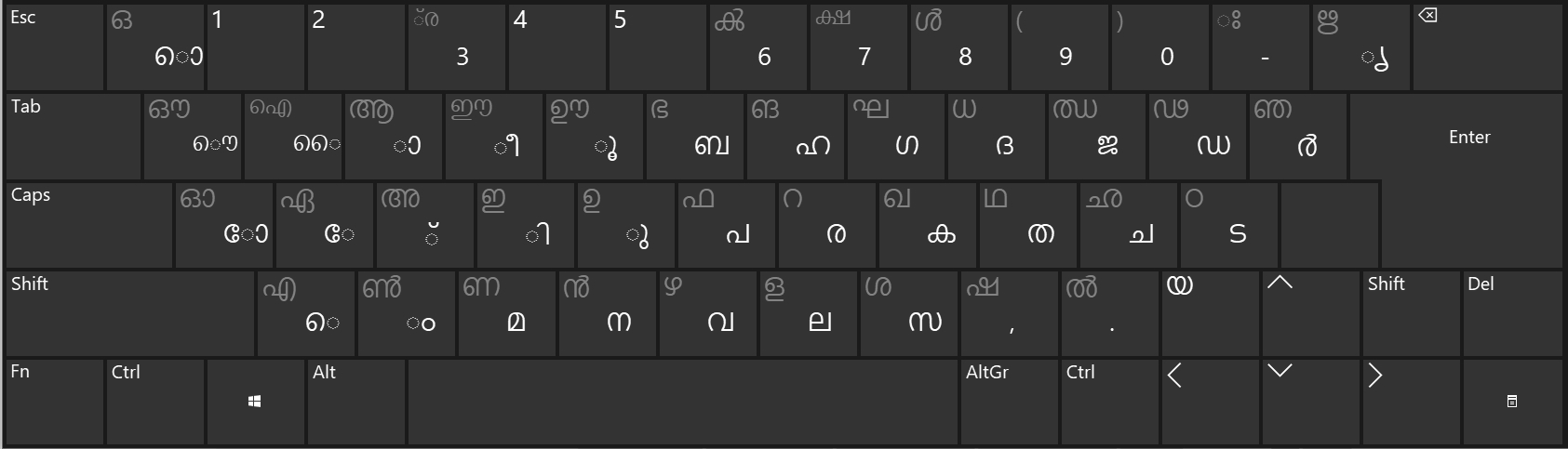
Inscript Keyboard
NOTE: If you have a correct keyboard layout installed on your computer, uncheck the above box.
Press ALT + 0256 for this charecter
Change Font : Krutidev 010
Change Test :
Random Words
▼
LEADER-BOARD
GLOBAL RANKING (TOP 10)
GLOBAL RANKING (TOP 10)
Online Malayalam Typing Test - Practice Malayalam Typing, Improve Speed and Accuracy
Looking for a free online Malayalam typing test to improve your Malayalam typing speed, accuracy, and keyboard skills? TypingWay provides an interactive Malayalam typing practice platform where you can test your typing speed, practise Malayalam words and paragraphs, prepare for typing examinations, and track your progress. Whether you are a beginner learning Malayalam typing or an experienced typist preparing for a government job, this Malayalam typing speed test helps you practise at your own pace.
Choose a typing duration from 1 minute to 60 minutes, switch between Malayalam and English using the language selection radio buttons, and select exercises according to your skill level. With gamified typing challenges, an online leaderboard, a downloadable typing speed certificate, a personal typing portfolio, exam mode, finger practice guidance, and an AI-based typing tutor, TypingWay makes Malayalam typing practice more engaging and productive.
What Is an Online Malayalam Typing Test?
An online Malayalam typing test is a browser-based tool that allows you to practise typing Malayalam text and evaluate your performance without installing additional software. It is useful for students, office employees, data entry operators, Malayalam content writers, translators, competitive examination candidates, and anyone who wants to become faster at typing in Malayalam.
A good Malayalam typing speed test should help you understand more than just how quickly you type. It should also help you identify typing mistakes, improve consistency, learn proper finger placement, and build confidence through regular practice.
With the Malayalam typing test online on TypingWay, you can select your preferred duration, practise different types of text, and review your performance after completing a test. You can start with a short one-minute exercise or challenge yourself with a full one-hour typing session.
Key Features of the TypingWay Malayalam Typing Speed Test
1. Malayalam Typing Test from 1 Minute to 1 Hour
Everyone has different typing goals. Beginners may prefer short sessions, while experienced typists may need longer exercises to develop endurance and maintain accuracy. TypingWay lets you select a test duration ranging from 1 minute to 60 minutes.
- 1-minute typing test: Quickly assess your current typing performance.
- 3-minute typing test: Practise maintaining speed over a short session.
- 5-minute typing test: Build consistency and reduce typing mistakes.
- 10-minute typing test: Improve concentration and sustained performance.
- 15-minute and 30-minute tests: Develop typing endurance for longer assignments.
- 60-minute typing test: Challenge yourself with an extended typing practice session.
Repeat tests at the same duration to compare your results and see whether your speed and accuracy are improving over time.
2. Switch Between Malayalam and English
TypingWay includes a convenient language selection option that lets you switch between Malayalam and English using radio buttons. This makes it easier to practise either language without navigating to a different tool.
Malayalam typing is particularly useful for regional-language documentation, correspondence, educational content, government-related work, publishing, and digital communication. English typing is equally valuable for forms, office applications, reports, and data entry work.
If you want to explore more language-specific exercises, visit the online typing test selection page to discover additional typing practice options.
3. Easy, Moderate, Hard, Legal, and Technical Typing Exercises
Practising the same type of text repeatedly may not prepare you for every typing task. That is why choosing different exercise categories is important for developing well-rounded typing skills.
- Easy words: Ideal for beginners learning the keyboard and becoming familiar with Malayalam typing.
- Moderate words: Help build fluency through a wider range of vocabulary.
- Hard words: Challenge experienced typists with more demanding words and spelling patterns.
- Legal terms: Provide practice with terminology found in legal documents, formal correspondence, and administrative writing.
- Technical terms: Help users become familiar with terminology used in technology, engineering, computing, and technical documentation.
Start with easier exercises if you are a beginner. Once you can type accurately and comfortably, gradually move to more challenging categories. This approach helps you improve your typing skills without sacrificing accuracy for speed.
4. Malayalam Paragraph Typing Practice
Word-based exercises are useful for developing familiarity with individual words, but paragraph typing helps you practise continuous text. It is particularly helpful for students, office workers, content writers, and candidates preparing for longer typing tests.
TypingWay offers different paragraph-based exercises so that you can practise sentence flow, punctuation, spacing, and consistent typing rhythm. Paragraph practice also helps you become more comfortable with longer passages that resemble real-world documents and examination exercises.
For the best results, combine word practice with paragraph practice. Use short word exercises to work on difficult combinations, then move to paragraphs to improve overall fluency.
Improve Your Malayalam Typing Speed with Gamified Practice
Traditional typing practice can sometimes become repetitive. TypingWay makes the learning process more engaging through a gamified typing experience that encourages you to practise, measure your results, and work towards your personal best.
Instead of focusing only on the number of words typed, use each session to improve accuracy, reduce errors, and maintain a steady rhythm. As your skills develop, challenge yourself with longer durations and more difficult exercises.
After completing a test, you can save your typing speed and compete on the TypingWay leaderboard. The leaderboard displays the top 10 users, giving you an opportunity to compare your performance with other typists.
You can also explore the typing games collection for more interactive ways to practise keyboard skills. Try Bubble Blast for an additional gaming-based practice experience.
Remember that leaderboard rankings are only one measure of progress. Consistent accuracy, comfortable typing technique, and improvement over time are equally important.
Create Your Typing Profile and Build a Professional Typing Portfolio
Learning to type quickly can be useful when applying for data entry, transcription, office assistant, documentation, and other computer-based jobs. However, employers may want evidence of your practical skills rather than a claim about your typing speed.
TypingWay allows users to create a profile and build a typing portfolio that can be used to showcase their typing achievements. A well-maintained portfolio can help you present your progress when preparing a résumé or applying for a typing-related position.
Your typing portfolio can be especially useful when you want to demonstrate a commitment to improving your speed and accuracy. Keep your profile professional and use only results that accurately represent your performance.
Download a Typing Speed Certificate
After completing a typing test, you can download a typing speed certificate to document your performance. A certificate can be included with your job application materials or presented during an interview as supplementary evidence of your typing practice.
Before submitting a certificate to an employer, check whether the employer requires a particular examination, testing authority, keyboard layout, or official certification. An online practice certificate does not automatically replace a certificate or test result required by an employer or government recruitment authority.
Prepare for Government Typing Exams with Exam Mode
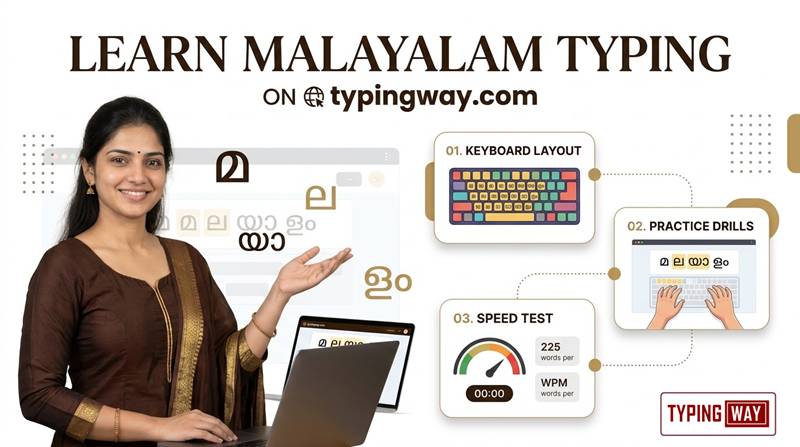
Candidates preparing for government recruitment examinations often need more than general typing practice. They may need to work within a specified time limit, maintain accuracy, and become comfortable with the format of a particular examination.
TypingWay provides an exam mode for typing examination preparation, designed around an examination-style practice experience. It helps candidates develop concentration, manage time, and practise typing under test conditions.
For additional preparation, explore the typing exam simulator. You can also review the High Court LDC typing test for another example of recruitment-oriented typing practice.
If you are preparing for a specific government examination, always check the latest official notification for the required language, keyboard layout, typing duration, speed criteria, qualifying marks, and evaluation method. Exam requirements vary between recruiting authorities and posts.
Learn Proper Finger Placement with the Finger Practice Guide
Typing faster is not simply a matter of pressing keys more quickly. Correct finger placement and a comfortable typing technique can help reduce unnecessary movement and make long practice sessions easier.
Beginners should first become familiar with the keyboard layout they intend to use. Practise keeping your hands relaxed, using the appropriate fingers, and maintaining a comfortable posture. Avoid looking down at the keyboard more than necessary as your familiarity improves.
TypingWay provides a finger practice guide to help you learn finger placement and develop better typing habits. Use it alongside your Malayalam typing exercises to build a more consistent technique.
Malayalam typing methods and keyboard layouts can differ. Choose the layout relevant to your work or examination and practise consistently with that layout. Touch-typing principles are helpful, but you should not assume that every Malayalam input method uses the same physical key mapping.
Get Personalised Feedback with the AI-Based Typing Tutor
Repeating typing tests is useful, but understanding your mistakes is essential for making meaningful progress. TypingWay offers an AI-based typing tutor that provides feedback about areas where you may need more practice.
Use the tutor's feedback to identify weaknesses, focus on difficult words or patterns, and plan your next practice session. Instead of randomly repeating tests, concentrate on the skills that need the most improvement.
A simple improvement routine could look like this:
- Take a short Malayalam typing test to establish your current performance.
- Review the feedback and identify recurring mistakes.
- Practise difficult words or keyboard combinations.
- Complete a paragraph exercise to improve continuous typing.
- Take another timed test and compare your results.
If you also want to develop your English typing skills, visit the English typing tutor for additional practice.
Consistent, focused practice is generally more useful than trying to achieve a very high typing speed in a single session.
Minimalist Typing Mode for a Distraction-Free Experience
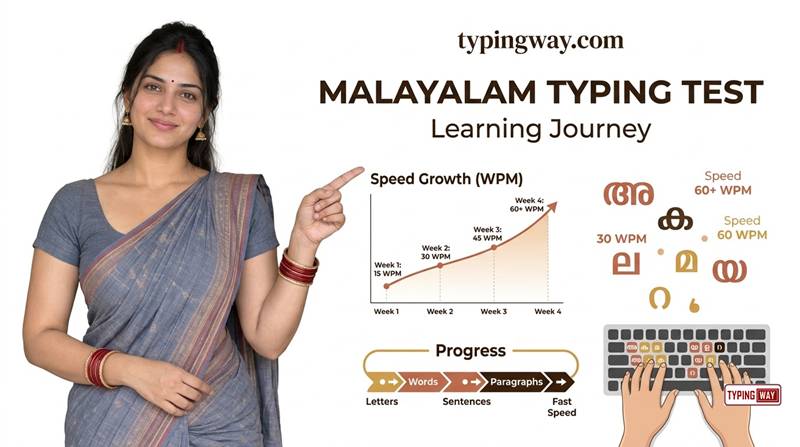
Some users prefer a simple interface without unnecessary visual elements. TypingWay offers a minimalist mode for people who want a more focused typing experience without advertisements or other distractions in that mode.
A cleaner practice environment can make it easier to concentrate on the text, monitor your progress, and develop a steady typing rhythm. This is particularly helpful when preparing for timed examinations or practising for extended periods.
You can also try the minimal English typing test if you want to practise English typing in a simplified interface.
How to Use the Online Malayalam Typing Test
Getting started with Malayalam typing practice on TypingWay is straightforward. Follow these steps to make the most of your practice session.
- Open the typing test: Visit the Online Malayalam Typing Test tool on TypingWay.
- Select the language: Choose Malayalam or English using the language selection radio buttons.
- Choose the duration: Select a test ranging from 1 minute to 1 hour, depending on your goal.
- Select an exercise: Choose easy, moderate, hard, legal, or technical words, or practise a paragraph.
- Start typing: Type the displayed text carefully and maintain a comfortable rhythm.
- Review your performance: Check your speed and accuracy after completing the test.
- Use the feedback: Focus on the areas that need improvement and repeat the exercise when necessary.
- Save your achievement: Use the available profile, leaderboard, and certificate features to document your progress.
Tips to Improve Malayalam Typing Speed and Accuracy
If your goal is to become a faster and more accurate Malayalam typist, use a structured practice routine rather than relying exclusively on long typing tests.
- Practise every day: Short, regular sessions help you build familiarity and consistency.
- Prioritise accuracy: Avoid rushing through text when mistakes are frequent.
- Choose the right keyboard layout: Practise with the layout required for your intended work or examination.
- Combine words and paragraphs: Use word exercises for focused practice and paragraphs for continuous typing.
- Increase difficulty gradually: Move from easy to moderate and hard exercises as your skills improve.
- Practise legal and technical terminology: Familiarity with specialised vocabulary can be valuable for relevant jobs.
- Use finger-placement guidance: Develop comfortable, repeatable movements instead of relying entirely on visual searching.
- Review mistakes: Identify recurring errors and target them in your next session.
- Track your results: Compare similar tests to measure improvement fairly.
- Practise under timed conditions: Use exam mode if you are preparing for a recruitment test.
Do not worry if your initial speed is low. Your first goal should be to become comfortable with the keyboard and produce accurate text. Once accuracy becomes more consistent, work on increasing speed gradually.
Who Should Use This Malayalam Typing Test?
The TypingWay Malayalam typing test is useful for a variety of learners and professionals, including:
- Beginners: People who want to learn Malayalam typing and become familiar with the keyboard.
- Students: Learners who need Malayalam typing skills for assignments, projects, and digital communication.
- Government job aspirants: Candidates who want to practise typing and prepare for relevant recruitment examinations.
- Data entry operators: Professionals who need to enter Malayalam text accurately and efficiently.
- Office employees: People who prepare Malayalam documents, letters, reports, and records.
- Content writers and translators: Professionals who work with Malayalam-language digital content.
- Experienced typists: Users who want to measure performance, practise difficult text, and compare their scores.
- Job seekers: Applicants who want to document their typing achievements and present their skills professionally.
Frequently Asked Questions About Online Malayalam Typing Tests
1. Where can I take an online Malayalam typing test?
You can take an online Malayalam typing test on TypingWay. Choose your preferred test duration, select Malayalam as the language, and begin practising words or paragraphs directly in your browser.
2. Is the TypingWay Malayalam typing test free?
TypingWay provides an online typing practice experience with a variety of exercises and features. Check the tool interface for the current availability and any conditions associated with individual features.
3. Can I take a one-minute Malayalam typing speed test?
Yes. You can select a one-minute test to get a quick assessment of your Malayalam typing performance. You can also choose longer durations, up to one hour, for extended practice.
4. Can I practise Malayalam typing for one hour?
Yes. TypingWay offers selectable test durations from 1 minute to 60 minutes, allowing you to practise for an extended period and work on typing endurance.
5. Can I switch between Malayalam and English typing?
Yes. You can switch between Malayalam and English using the language selection radio buttons available in the typing tool.
6. What types of Malayalam typing exercises are available?
The tool offers easy, moderate, hard, legal-term, and technical-term exercises, along with paragraph-based typing practice. These options help users practise different levels of difficulty and types of text.
7. How can I improve my Malayalam typing speed?
Practise regularly, choose the correct keyboard layout, learn finger placement, focus on accuracy, and gradually increase the difficulty of your exercises. Reviewing your results and targeting recurring mistakes can make your practice more effective.
8. What is the difference between typing speed and typing accuracy?
Typing speed measures how quickly you enter text, while typing accuracy measures how closely your input matches the expected text. Both matter because fast typing with frequent errors may not be suitable for professional work or examinations.
9. Can I prepare for government typing examinations with TypingWay?
Yes. TypingWay offers an exam mode for typing examination preparation. Use it to practise timed typing and build consistency, but always verify the official examination's language, keyboard layout, duration, speed requirements, and evaluation rules.
10. Can I download a Malayalam typing speed certificate?
TypingWay offers a downloadable typing speed certificate after a typing test. You can use it to document your practice achievement or supplement a job application. Whether it is accepted as an official qualification depends on the employer or recruiting authority.
11. Can I save my typing speed and compete on a leaderboard?
Yes. The platform lets you save your typing speed and compete on its leaderboard, which displays the top 10 users. Use the leaderboard to challenge yourself and track your progress.
12. Can I create a typing portfolio for my résumé?
Yes. TypingWay provides profile and typing portfolio features that can help you showcase your typing achievements when preparing your résumé or applying for typing-related jobs.
13. What is an AI-based typing tutor?
An AI-based typing tutor analyses your practice and provides feedback about areas where you need improvement. TypingWay's tutor can help you identify weaknesses and focus your next practice session on relevant skills.
14. Can I practise Malayalam typing without distractions?
Yes. TypingWay provides a minimalist mode for users who prefer a simpler practice environment without advertisements or other distractions in that mode.
15. Do I need to install Malayalam typing software?
The TypingWay typing test runs in your web browser, so you do not need to install a separate TypingWay application to use the online test. Your operating system, browser, and chosen Malayalam input method may affect how Malayalam characters are entered.
16. Is an online typing certificate accepted for government jobs?
Not necessarily. Acceptance depends on the recruitment notification and the rules of the relevant authority. An online typing speed certificate can demonstrate practice performance, but it should not be assumed to replace an officially required typing test or certificate.
17. How often should I practise Malayalam typing?
Regular practice is generally more effective than occasional long sessions. Start with a manageable daily routine, review your mistakes, and gradually increase the duration and difficulty as your accuracy and comfort improve.
Start Your Malayalam Typing Practice Today
Improving your Malayalam typing speed begins with consistent practice and a clear goal. Whether you are learning the keyboard for the first time, preparing for a typing examination, improving your professional skills, or building a portfolio for future job opportunities, TypingWay provides multiple ways to practise and monitor your progress.
Choose your preferred language, select a test duration from one minute to one hour, and start with an exercise that matches your current ability. Use paragraph practice to improve fluency, the finger practice guide to develop better technique, and the AI-based typing tutor to identify areas that need attention.
Ready to improve your Malayalam typing speed? Start your next practice session on TypingWay and work towards becoming a faster, more accurate, and more confident typist.