🧊
+1
0 WPM
Highlit
Back
Dutch
En
⏱️ :
60
 Loading...

Finger Practice Change Language Activate Keyboard
NOTE: If you have a correct keyboard layout installed on your computer, uncheck the above box.
Press ALT + 0256 for this charecter
Change Test :
Random Words
▼
LEADER-BOARD
GLOBAL RANKING (TOP 10)
GLOBAL RANKING (TOP 10)
Online Dutch Typing Test - Improve Your Dutch Typing Speed and Accuracy
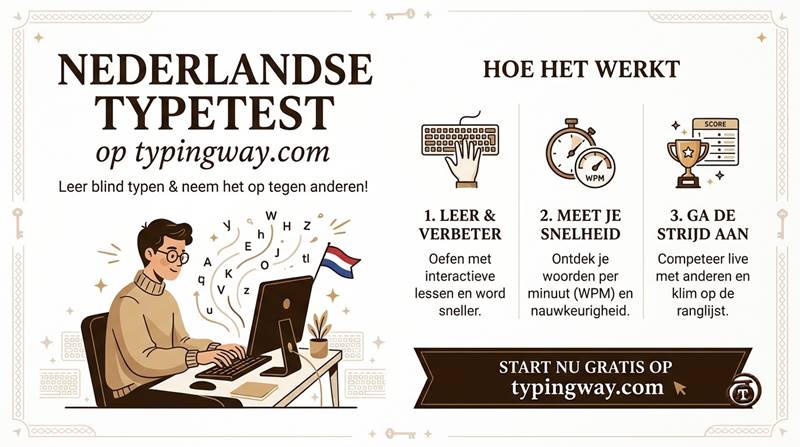
Welcome to the Online Dutch Typing Test on TypingWay, your complete platform for improving Dutch typing speed, accuracy, keyboard skills, and touch typing techniques. Whether you are a beginner learning to type in Dutch, a student preparing for a typing examination, or a professional looking to improve your typing performance, this free Dutch typing speed test provides everything you need in one place.
Practice Dutch words, sentences, paragraphs, technical terminology, and legal vocabulary with customizable typing exercises. Choose a typing duration ranging from 1 minute to 1 hour, monitor your words per minute (WPM), improve your accuracy, and challenge yourself to achieve a higher typing score.
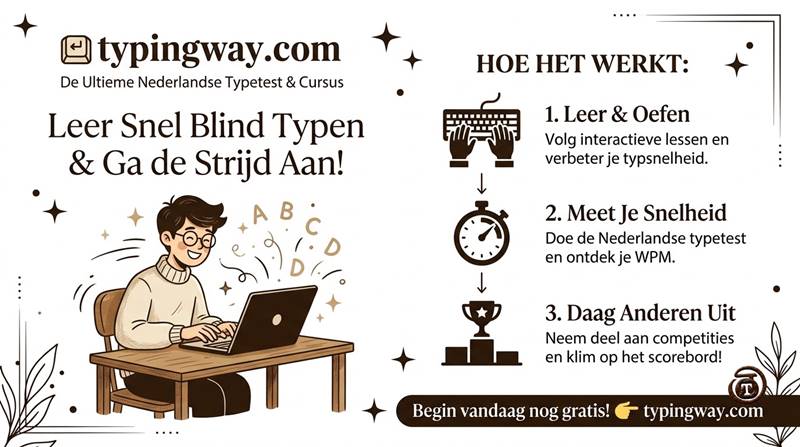
Unlike ordinary typing websites, TypingWay combines an interactive typing engine, gamified exercises, AI-powered typing feedback, typing certificates, personal profiles, and competitive leaderboards to create a complete Dutch typing learning experience.
Free Dutch Typing Speed Test with Customizable Time Limits
One of the most important features of our Dutch typing test is the ability to choose your preferred test duration. Different users have different typing goals. Some want to measure their typing speed quickly, while others want to develop typing endurance through longer practice sessions.
Our online Dutch typing speed test allows you to select any duration from 1 minute to 60 minutes. You can begin with a short test and gradually increase the duration as your typing skills improve.
- 1-minute Dutch typing test: Quickly check your current typing speed and accuracy.
- 2-minute Dutch typing test: Practice short typing sessions and improve consistency.
- 5-minute Dutch typing test: Develop better typing rhythm and concentration.
- 10-minute Dutch typing test: Measure your performance over a longer session.
- 15-minute and 20-minute tests: Build typing endurance and maintain accuracy.
- 30-minute Dutch typing test: Prepare for longer typing assignments and examinations.
- 60-minute Dutch typing test: Challenge your typing stamina with an extended practice session.
You can choose the duration according to your requirements and repeat the test regularly to monitor your progress. Consistent practice is one of the best ways to increase Dutch typing speed without sacrificing accuracy.
Switch Between Dutch and English Typing Practice
Learning and practicing different languages should be simple. Our typing platform provides an easy language-switching option through radio buttons, allowing you to switch between Dutch typing practice and English typing practice whenever you want.
This feature is particularly useful for bilingual users, language learners, students, and professionals who regularly work with both Dutch and English text. You do not need to open another website or restart your learning process on a different platform.
Multiple Dutch Typing Exercises for Every Skill Level
Every typist has a different learning level. A beginner should not have to practice difficult technical words immediately, while an advanced typist needs more challenging exercises to continue improving.
That is why our Dutch typing practice tool offers different exercise categories. Select the exercise that matches your current ability and gradually move towards more advanced typing challenges.
1. Easy Dutch Words
Beginners can start with simple and frequently used Dutch words. These exercises help you become familiar with the keyboard, develop finger coordination, and improve basic typing accuracy.
2. Moderate Dutch Words
Once you become comfortable with basic typing, move to moderate-level Dutch vocabulary. These exercises introduce more challenging word combinations and help develop a smoother typing rhythm.
3. Hard Dutch Words
Advanced learners can practice longer and more complicated Dutch words. These exercises challenge your keyboard coordination, concentration, and ability to type accurately at higher speeds.
4. Dutch Legal Terms
Practice legal vocabulary and terminology used in formal Dutch documents. This exercise category can be useful for students, legal professionals, and anyone interested in developing familiarity with legal language while improving typing skills.
5. Dutch Technological Terms
Improve your typing ability with technology-related terminology. These exercises are useful for IT professionals, computer science students, developers, and people who frequently type technical documents.
6. Dutch Paragraph Typing Practice
Word-based exercises are excellent for developing speed, but paragraph typing is equally important. Practice complete Dutch paragraphs to improve punctuation, capitalization, sentence structure, reading concentration, and typing consistency.
Gamified Dutch Typing Experience with a Top 10 Leaderboard
Typing practice becomes more exciting when you can compete, earn recognition, and challenge yourself. TypingWay offers a gamified typing experience that makes improving your Dutch typing speed more engaging.
After completing a typing test, you can save your typing performance and compete with other users. The leaderboard displays the top 10 typing performers, giving you an opportunity to compare your results and work towards achieving a higher position.
Instead of treating typing practice as a boring daily task, use the leaderboard as motivation to improve your words per minute, typing accuracy, and overall performance.
Create Your Dutch Typing Profile and Professional Typing Portfolio
Your typing skills can be an important part of your professional profile. TypingWay allows users to create a personal typing profile and build a typing portfolio that showcases their performance.
A typing portfolio can help you present your typing achievements when applying for data entry positions, office assistant jobs, transcription work, administrative roles, and other professions where keyboard proficiency is important.
You can use your profile to display your typing performance and demonstrate your commitment to improving your keyboard skills. A well-maintained typing portfolio can complement your resume when applying for typing-related employment opportunities.
Download Your Dutch Typing Speed Certificate
Want to demonstrate your typing ability during a job interview? TypingWay provides a facility to download a typing speed certificate after completing a typing test.
Your typing certificate can help you showcase your measured typing performance when applying for jobs involving data entry, documentation, office administration, and other computer-based tasks.
You can keep your certificate as a record of your typing achievements and use it as supplementary evidence of your keyboard skills during recruitment or professional evaluation.
Remember that a typing certificate from an online practice platform is not automatically an officially recognized government examination certificate. Always check the specific requirements of the employer or recruiting authority.
Dutch Typing Exam Mode for Competitive Examination Preparation
Are you preparing for a government typing examination or a recruitment test that requires good keyboard skills? TypingWay also provides an Exam Mode designed to help users practice in a structured examination environment.
The exam mode follows an official-exam-style typing pattern, allowing candidates to become familiar with timed typing sessions and examination-oriented practice. It can help you develop concentration, typing speed, accuracy, and time management.
If you are preparing for a specific recruitment examination, you can also explore our Typing Exam Simulator and practice with examination-style exercises.
For candidates preparing for Lower Division Clerk and similar recruitment examinations, explore our High Court LDC Typing Test.
Learn Touch Typing with the Finger Practice Guide
Increasing typing speed is not only about moving your fingers faster. Proper finger placement and keyboard familiarity are essential for developing long-term typing efficiency.
Our finger practice guide helps beginners understand how to position their fingers on the keyboard and which fingers should be used to press different keys. Learning the correct finger positions can reduce unnecessary hand movement and help you develop touch typing skills.
Explore the complete Finger Practice Guide to understand keyboard finger placement and start learning touch typing step by step.
You can also watch our typing tutorial video lessons on YouTube to improve your typing technique.
AI-Based Dutch Typing Tutor with Personalized Feedback
Practicing without understanding your mistakes can slow down your progress. Our AI-based typing tutor helps you understand your typing performance and identify areas where you need more practice.
The AI typing tutor analyzes your performance and provides personalized feedback about your typing weaknesses. It can help you identify areas that require attention so you can focus your future practice sessions more effectively.
Whether you struggle with typing accuracy, difficult words, finger coordination, or maintaining a consistent typing rhythm, personalized feedback can help you make your practice more productive.
Rather than repeating the same exercises without direction, use AI-based feedback to understand where you are lacking and what you should practice next.
Minimalist Dutch Typing Test Mode for Distraction-Free Practice
Some users prefer a clean typing interface without unnecessary distractions. For such users, TypingWay offers a Minimalist Typing Test Mode.
This mode provides a simplified typing experience for people who want to concentrate entirely on their typing exercises. If you prefer a clean interface without advertisements or additional visual elements, try our Minimal Typing Test.
Improve Your Typing Speed with Typing Games
Typing games are an enjoyable way to develop keyboard coordination, reaction time, and typing accuracy. Instead of practicing only through traditional exercises, you can challenge yourself with interactive typing games.
Explore our collection of free online typing games to make your learning experience more interesting.
You can also try Bubble Blast, an engaging typing game that adds an element of fun to your regular keyboard practice.
How to Improve Your Dutch Typing Speed: 7 Practical Tips
- Practice every day: Spend at least 10 to 15 minutes practicing Dutch typing regularly. Consistency is more important than occasional long sessions.
- Learn correct finger placement: Use the appropriate fingers for different keyboard keys instead of relying only on two fingers.
- Focus on accuracy first: Avoid typing too quickly at the beginning. Develop accurate typing habits before increasing your speed.
- Practice difficult Dutch words: Identify the words that slow you down and repeat exercises containing similar vocabulary.
- Practice complete paragraphs: Paragraph exercises help you develop better reading flow, punctuation skills, and typing rhythm.
- Increase test duration gradually: Start with a one-minute test and gradually move towards 5, 10, 15, or 30-minute sessions.
- Monitor your performance: Track your words per minute and accuracy after each session. Use your results and AI feedback to identify areas for improvement.
What Is a Good Dutch Typing Speed?
A good typing speed depends on your experience, professional requirements, and the type of work you perform. Beginners should focus on accuracy and consistency before attempting to achieve higher words-per-minute scores.
The following table provides general practice benchmarks rather than official Dutch typing standards:
| Typing Speed (WPM) | General Skill Level |
|---|---|
| Below 20 WPM | Beginner |
| 20-30 WPM | Developing |
| 30-40 WPM | Intermediate |
| 40-50 WPM | Good |
| 50-60 WPM | Advanced |
| 60-80 WPM | Very Advanced |
| Above 80 WPM | Highly Skilled |
These ranges are only general reference points. Actual typing performance depends on the text, language, keyboard layout, test duration, and scoring method. Employers and examination authorities may have their own minimum speed and accuracy requirements.
Explore More Free Typing Tests on TypingWay
TypingWay is not limited to Dutch typing practice. You can explore different language typing tests, typing tutors, and examination tools through our platform.
- Explore All Online Typing Tests - Find typing tests in different languages and improve your multilingual typing skills.
- English Typing Tutor - Improve your English keyboard skills through structured typing practice.
- Typing Exam Simulator - Prepare for timed typing examinations.
- Typing Games - Make typing practice more enjoyable.
- Finger Practice - Learn proper keyboard finger placement.
Frequently Asked Questions About Online Dutch Typing Tests
1. What is an online Dutch typing test?
An online Dutch typing test is a browser-based tool that measures how quickly and accurately you can type Dutch text using a keyboard. TypingWay allows you to practice Dutch words and paragraphs, select different difficulty levels, choose test durations, and check your typing performance.
2. Is the Dutch typing test free?
You can use the Dutch typing test on TypingWay to practice your typing skills online. It offers different exercises, customizable test durations, and additional learning features to help you improve your typing performance.
3. Can I take a Dutch typing test for 1 minute?
Yes. You can select a one-minute Dutch typing test to quickly measure your typing speed and accuracy. You can also select longer durations, up to one hour.
4. Can I practice Dutch typing for 5 or 10 minutes?
Yes. TypingWay provides customizable typing durations, including 5-minute and 10-minute practice sessions. You can choose a suitable duration according to your learning goals.
5. Does TypingWay offer a 30-minute or 1-hour Dutch typing test?
Yes. You can select longer practice sessions, including 30-minute and 60-minute typing tests, to improve your concentration, consistency, and typing endurance.
6. Can I switch between Dutch and English typing tests?
Yes. You can easily switch between Dutch and English using the language radio buttons provided in the typing interface.
7. What types of Dutch typing exercises are available?
You can practice easy Dutch words, moderate words, hard words, legal terminology, technological terminology, and complete paragraphs. These categories allow beginners and advanced users to choose exercises according to their typing abilities.
8. How can I improve my Dutch typing speed?
Practice regularly, learn correct finger placement, focus on accuracy, and gradually increase your typing duration. Use different vocabulary exercises and paragraph typing tests to improve your overall keyboard skills.
9. What does WPM mean in a typing test?
WPM stands for Words Per Minute. It is a common measurement used to calculate typing speed. It indicates how many words you can type in one minute according to the test's scoring method.
10. Can I download a Dutch typing speed certificate?
Yes. TypingWay offers a facility to download your typing speed certificate after completing a typing test. You can use it to showcase your typing performance during job applications and interviews, subject to the employer's acceptance requirements.
11. Can I use my typing certificate for a job application?
You can include your online typing certificate as supplementary evidence of your keyboard skills in your resume or job portfolio. However, some employers and recruitment authorities require certificates from specific testing organizations or official examinations.
12. Does TypingWay have a typing leaderboard?
Yes. You can save your typing test performance and compete with other users. The leaderboard displays the top 10 performers, allowing you to compare your achievements with other typists.
13. Can I create a typing portfolio on TypingWay?
Yes. You can create a personal profile and build a typing portfolio to showcase your typing achievements and performance. This can be useful when presenting your keyboard skills to potential employers.
14. What is AI-based typing feedback?
AI-based typing feedback helps you understand your typing weaknesses and identify areas that need additional practice. It provides personalized guidance so you can focus on improving your typing performance.
15. Does TypingWay offer touch typing lessons?
Yes. You can use the finger practice guide to learn correct keyboard finger placement and develop touch typing skills. Proper finger positioning can improve typing accuracy and efficiency.
16. What is Dutch typing exam mode?
Dutch typing exam mode provides an examination-style practice environment for users who want to improve their performance in timed typing tests. It helps develop typing speed, accuracy, concentration, and time management.
17. Can beginners use the online Dutch typing test?
Absolutely. Beginners can start with easy Dutch words and short typing sessions. As their confidence and accuracy improve, they can move to moderate, difficult, technical, and paragraph-based exercises.
18. Does TypingWay provide a distraction-free typing test?
Yes. TypingWay offers a minimalist typing mode for users who prefer a clean and simplified typing interface without advertisements or unnecessary distractions.
19. Which keyboard layout should I use for Dutch typing?
Use a keyboard layout that supports the Dutch characters and punctuation you need. Dutch text can include accented characters such as ë, é, and ï, so make sure your keyboard input settings allow you to enter the required characters correctly.
20. How often should I practice Dutch typing?
Regular practice is recommended. Start with 10 to 15 minutes daily and gradually increase your practice duration. Focus on typing accuracy, proper finger placement, and consistent improvement rather than speed alone.
Start Your Free Online Dutch Typing Test Today!
Improving your Dutch typing speed requires consistent practice, the right exercises, and an effective learning environment. TypingWay brings together everything you need, including timed Dutch typing tests, multiple exercise categories, paragraph practice, AI-powered feedback, gamified challenges, typing certificates, personal portfolios, and examination-style practice.
Whether you are learning touch typing for the first time or preparing for professional typing requirements, start practicing today and take your keyboard skills to the next level.
Choose your preferred duration, select Dutch language, start typing, and challenge yourself to reach a new personal best!