 Official Guide
How to Play Theta Flux: The Complete Guide to Orbits, Angles & Perfect Captures
Theta Flux is a one-tap orbital-launch game that looks simple and plays like a tiny physics exam. This is the official hint page: every control, every planet type, and the exact math behind the ORBIT θ angle so you can stop guessing and start chaining PERFECT captures.
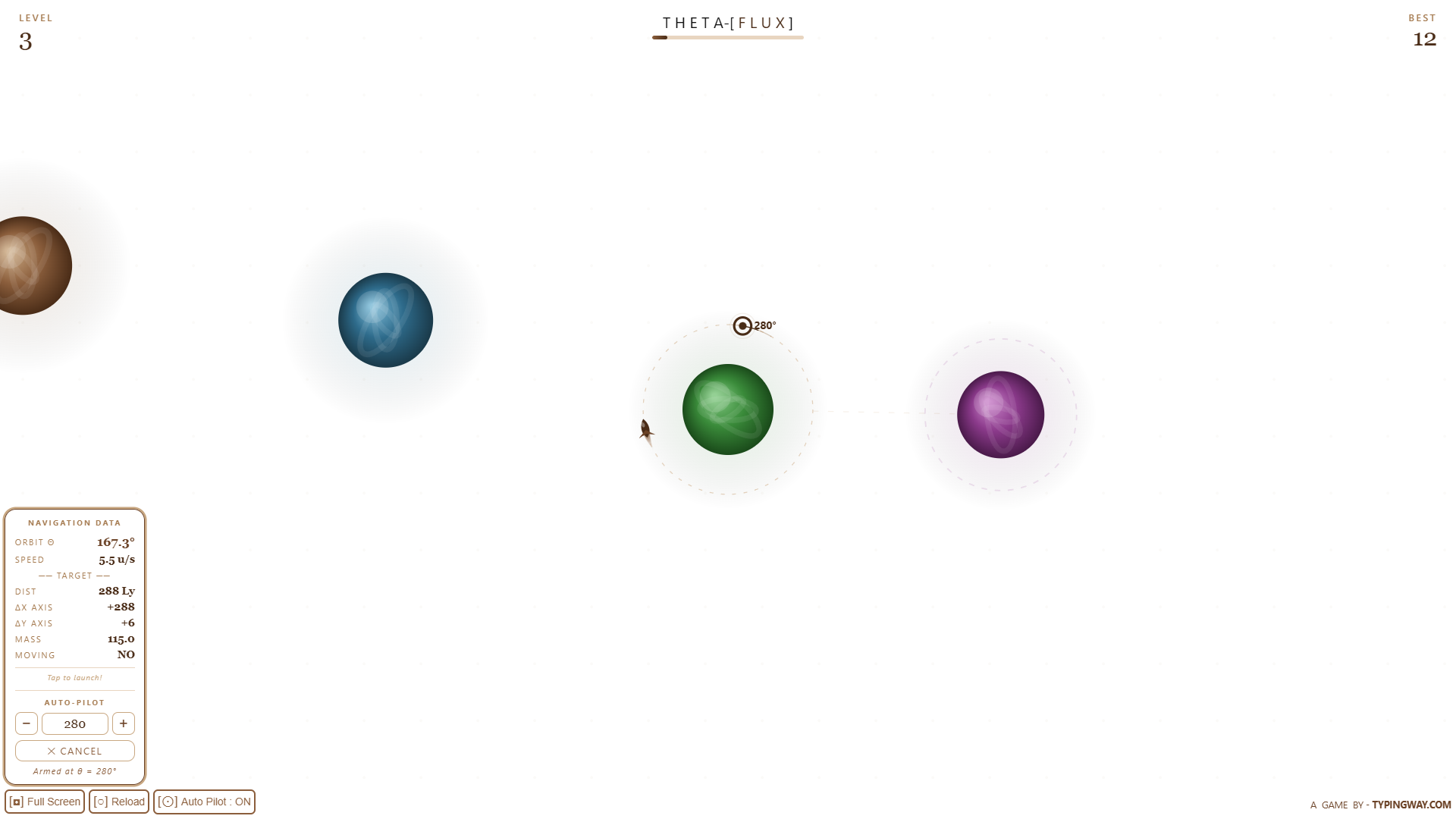
Your ship orbits the current planet while you aim for the next one.
TL;DR — Theta Flux in 20 Seconds
Your ship orbits a planet automatically. Tap once to fire it off in a straight line along the direction it's currently facing (a tangent to the orbit). Time your tap so that line points at the next planet's dashed capture ring. Land dead-centre for a PERFECT and the game speeds up, the capture rings shrink, and the level counter climbs. One bad angle and it's game over — so the whole game is really just repeatedly solving one triangle, fast.
What Is Theta Flux?
Theta Flux (stylised THETA-[FLUX]) is a free browser and mobile game by Typingway.com that turns basic trigonometry into a fast, addictive one-tap arcade loop. You don't steer directly — you only choose when to release your ship from orbit. Everything else is angles, distance and timing. It's part reflex game, part mental-math trainer, and every run is procedurally generated so no two levels play exactly the same.
Controls
- Tap / Click anywhere — ejects your ship from its current orbit along the tangent direction.
- Full Screen button — expands the game to fill your browser window.
- Reload button — restarts the run from Level 1.
- Auto-Pilot toggle — opens the Auto-Eject panel so you can type an exact launch angle instead of tapping by hand (explained below).
Step-by-Step: How to Play Theta Flux
- Start orbiting. Tap Play and your ship immediately begins circling the first planet at a fixed radius. It never stops moving until you launch it.
- Read the Navigation Data panel. The bottom-left panel shows your live ORBIT θ (your current angle in degrees, 0–360°), plus DIST, ΔX, ΔY and MASS for the next planet.
- Work out the angle you need. Use the launch-angle formula below to convert ΔX/ΔY into the exact ORBIT θ value that will send your ship straight at the target.
- Eject at the right instant. Watch the ORBIT θ number tick around and tap the instant it matches your target angle.
- Fly the tangent line. Once launched, your ship travels in a dead-straight line — no more steering — at a fixed speed until it hits something or flies off into space.
- Capture the planet. Cross into the dashed capture ring and you lock onto the next orbit automatically. Land near the centre of that ring for a PERFECT.
- Repeat, faster. Every capture raises your level, tightens the capture ring, speeds up your orbit, and — from Level 20 onward — introduces special planet types that bend the math further.
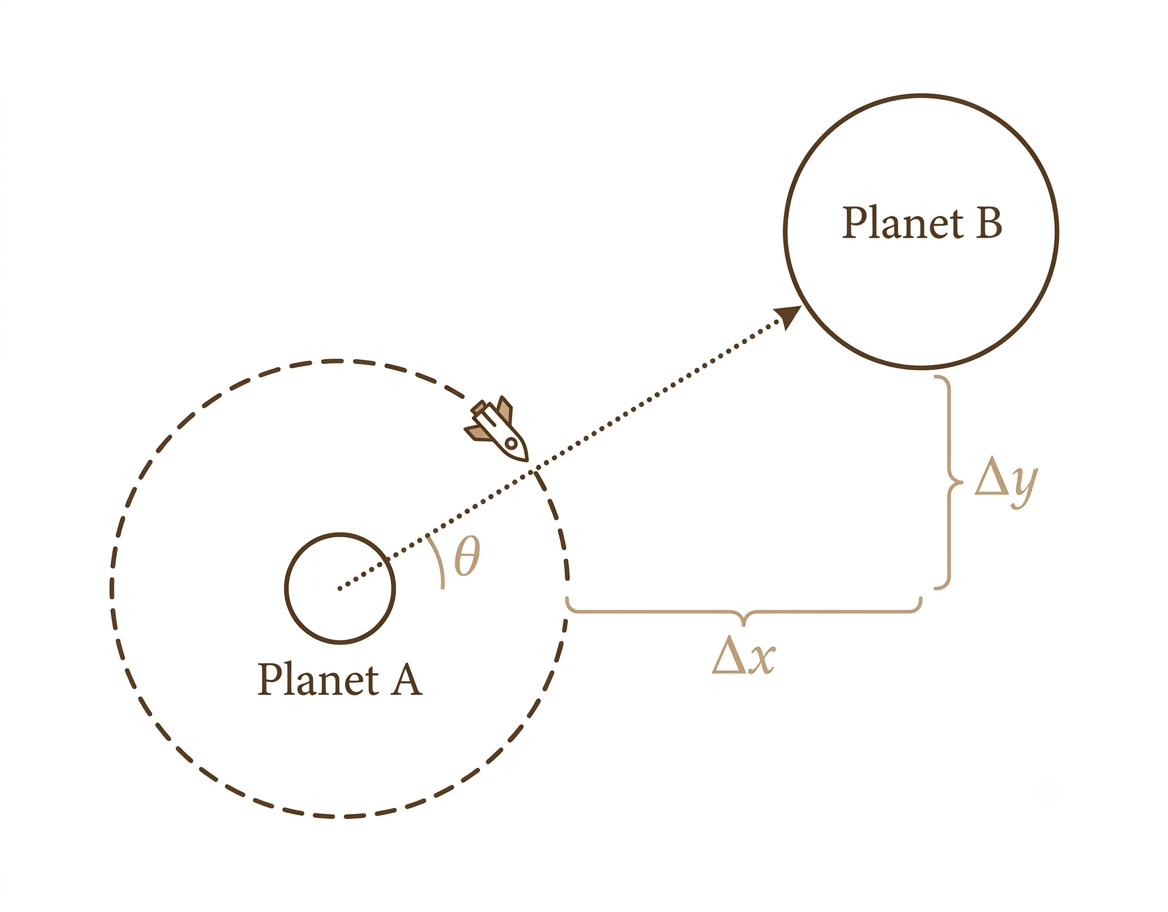
ΔX and ΔY between the current and next planet define the angle you need.
The Math: How the Launch Angle Formula Actually Works
Everything in Theta Flux comes down to one relationship. Your ship orbits at angle θ (measured in degrees, 0° at the right, increasing clockwise). The instant you tap, it flies off along the tangent to that circle — which is always 90° ahead of your current orbit angle. So the question the game is really asking you, every single level, is: "which θ makes my tangent line point at the next planet?"
1. Find ΔX and ΔY
These are shown live in the stats panel — the horizontal and vertical distance from your current planet to the next one:
ΔY = nextPlanet.y − currentPlanet.y
2. Find the direction to the target
The direction from your planet to the target planet is a standard inverse-tangent (arctan) of the ΔY/ΔX ratio. Because a plain arctan only covers one half of the circle, the game engine actually uses the two-argument version, atan2(ΔY, ΔX), which correctly handles every quadrant — but for quick mental math, arctan(ΔY / ΔX) gets you there:
3. Subtract the 90° tangent offset
Since your launch direction is always 90° ahead of your orbit angle, you need to aim your orbit angle 90° behind the target direction so the tangent lines up correctly:
4. Normalize to 0–360°
ORBIT θ on the HUD is always shown as a positive number between 0° and 360°, so if your result is negative, just add 360°:
This is exactly the shorthand hint that appears on the in-game stats panel once you reach Level 6: “θ = (arctan(ΔY/ΔX) − 90°) + 360°”. Watch the ORBIT θ readout, and the instant it equals that number, tap.
Why MASS and DIST matter too
The angle gets you pointed the right way, but two more stats decide how forgiving the shot is:
| Stat | What it tells you |
|---|---|
| MASS | A flavour stat scaled from the planet's visual radius — bigger MASS means a physically larger planet, which usually (but not always) pairs with a larger capture ring. |
| DIST | The straight-line distance to the next planet. Longer distances give small angle errors more room to drift off course before impact. |
| MOVING | If flagged YES, the target planet is orbiting its own centre point, so ΔX/ΔY — and therefore your ideal θ — are changing every frame. Lead your shot instead of aiming at where it is right now. |
PERFECT vs. capture vs. miss
Your flight path is checked against the target's capture radius:
- PERFECT — your closest approach lands inside roughly the inner 20% of the capture radius. Triggers a combo, a slow-motion flourish and a score multiplier.
- Capture — anywhere inside the dashed capture ring counts as a successful landing and advances you to the next level.
- Near miss — you pass just outside the ring. The game shows how far off you were ("RAZOR CLOSE!", "SO CLOSE", "NEARLY!") before ending the run.
- Clean miss — your ship sails well past the target with no correction possible. Instant game over.
How difficulty scales
Two numbers quietly ramp up as your level climbs, which is why Theta Flux gets brutal fast:
- Orbit speed increases from a slow, readable pace at Level 1 up to roughly 9–10× faster by around Level 40, giving you far less time to react to the θ readout.
- Capture radius shrinks steadily until around Level 15, roughly halving the room for angle error compared to Level 1.

From Level 20 onward, special planets change how the math behaves.
Planet Types (Unlock at Level 20)
| Type | Symbol | Effect on your flight |
|---|---|---|
| Normal | — | Standard target. Pure angle-and-distance math, no surprises. |
| Magnet ◎ | ◎ | Pulls your ship gently toward it once you're on approach — slightly forgiving angle errors on the inside edge. |
| Repulsor ⊗ | ⊗ | Pushes your ship away as you get close, so you need to aim tighter and closer to dead-centre than usual. |
| Boost ⚡ | ⚡ | Accelerates your ship on approach if you're not already flying too fast — useful for reaching far-away planets. |
| Tiny · | · | A miniature planet with a much smaller capture ring. Precision only — no room for sloppy angles. |
Using Auto-Pilot (Auto-Eject)
If tapping at the exact right frame feels too twitchy, open the Auto-Pilot panel from the bottom-left corner of the game screen. Type in the θ value you calculated above (or nudge it with the +/− buttons) and press SET EJECT. The game will automatically fire your ship the instant your live ORBIT θ comes within about 1.5° of your target — meaning your only job becomes getting the math right, not the reflexes.
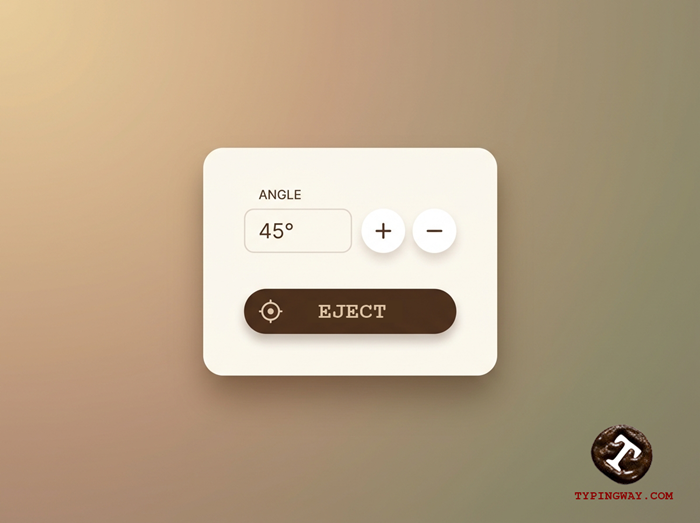
Type your calculated θ and let Auto-Pilot fire at the exact frame.
Combos, Scoring & Level Cards
- Landing a PERFECT increases your combo streak (shown in the top HUD bar) and plays an escalating chime.
- Combos build momentum visually with a brief slow-motion camera effect, so you get a clean look at your next angle before the pace ramps back up.
- A level card flashes your new level number every time you capture a planet, so you always know exactly how far you've pushed your run.
- Your Best Level is saved locally in your browser and shown on the title screen — beat it to set a new personal record.

Chain PERFECTs back-to-back for the biggest combo bar fill.
Pro Tips for Casual Players
- Round to the nearest 5°. You don't need decimal precision early on — the capture ring is generous at low levels.
- Watch DIST before you commit. Longer shots forgive small angle mistakes; short shots punish them.
- Treat MOVING planets like a quarterback throw. Aim slightly ahead of where the planet is heading, not where it is right now.
- Use Auto-Pilot on Repulsor and Tiny planets. These punish late taps the hardest, so let the game fire at the precise frame for you.
- Don't chase every PERFECT. A safe capture that keeps your run alive beats a risky bullseye attempt that ends it.
Frequently Asked Questions
- What does ORBIT θ mean in Theta Flux?
- It's your ship's current position angle around the planet you're orbiting, shown in degrees from 0° to 360°. It's the single most important number in the game — it's what you're timing your tap against.
- What's the exact formula for the launch angle?
- θ = (atan2(ΔY, ΔX) − 90°), normalized into the 0–360° range. ΔX and ΔY are read directly off the Navigation Data panel.
- Why is there a −90° in the formula?
- Because your ship always launches along the tangent to its orbit, which is 90° ahead of its current angle. To make that tangent point at the target, your orbit angle has to sit 90° behind the target's direction.
- Is Theta Flux free to play?
- Yes — Theta Flux runs entirely in your browser on typingway.com, no download or account required.
- What happens when I miss a planet?
- The run ends immediately. If you passed close to the capture ring, the game shows how far off you were; a wide miss ends the run without that near-miss readout.
- Does my progress save?
- Your Best Level and best combo streak are saved locally in your browser and shown on the title screen and Game Over screen.
More Free Browser Games on Typingway
Practice Your Reflexes & Typing Speed
If Theta Flux has you thinking in numbers, put that same focus to work on your typing speed:
Theta Flux is a game by Typingway.com. All in-game units (Ly, Km, MASS) are flavour text for gameplay feel, not real astronomical measurements.